Cases
A user guide for working with all the case types.
This section focuses on searching and accessing cases for messages, actions, documents, hearings, and audits. By clicking on the Cases, you can access lists of message, action, document, hearing, and audit cases, and easily filter and search the entries.
Messages
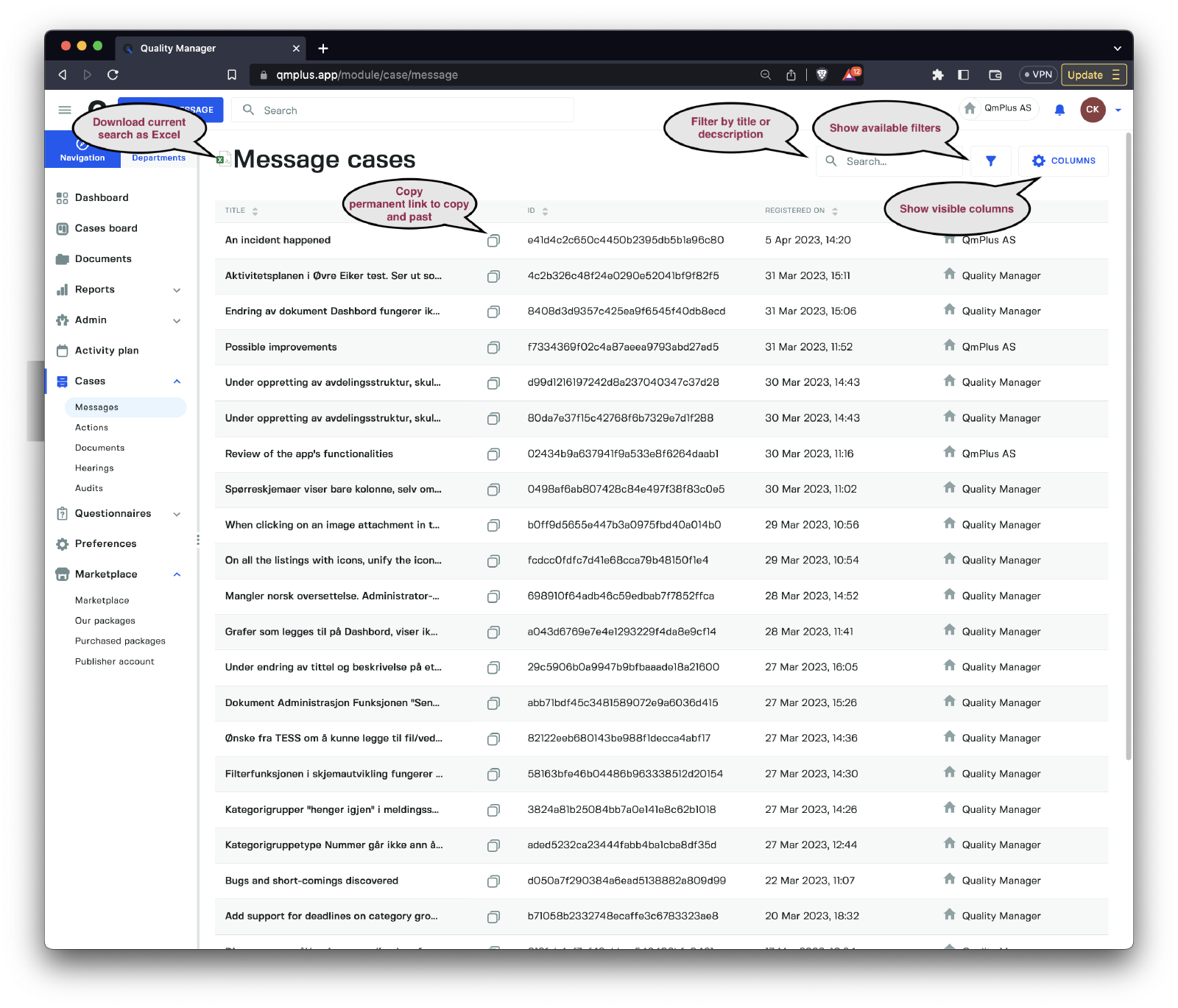
The messages view provides a comprehensive and convenient way to manage message cases by enabling you to quickly locate specific message cases or a group of related message cases. You can search by title and description, apply specific filters, and customize the visible columns. An Excel export function allows you to extract the cases into an Excel sheet effortlessly.
Filters
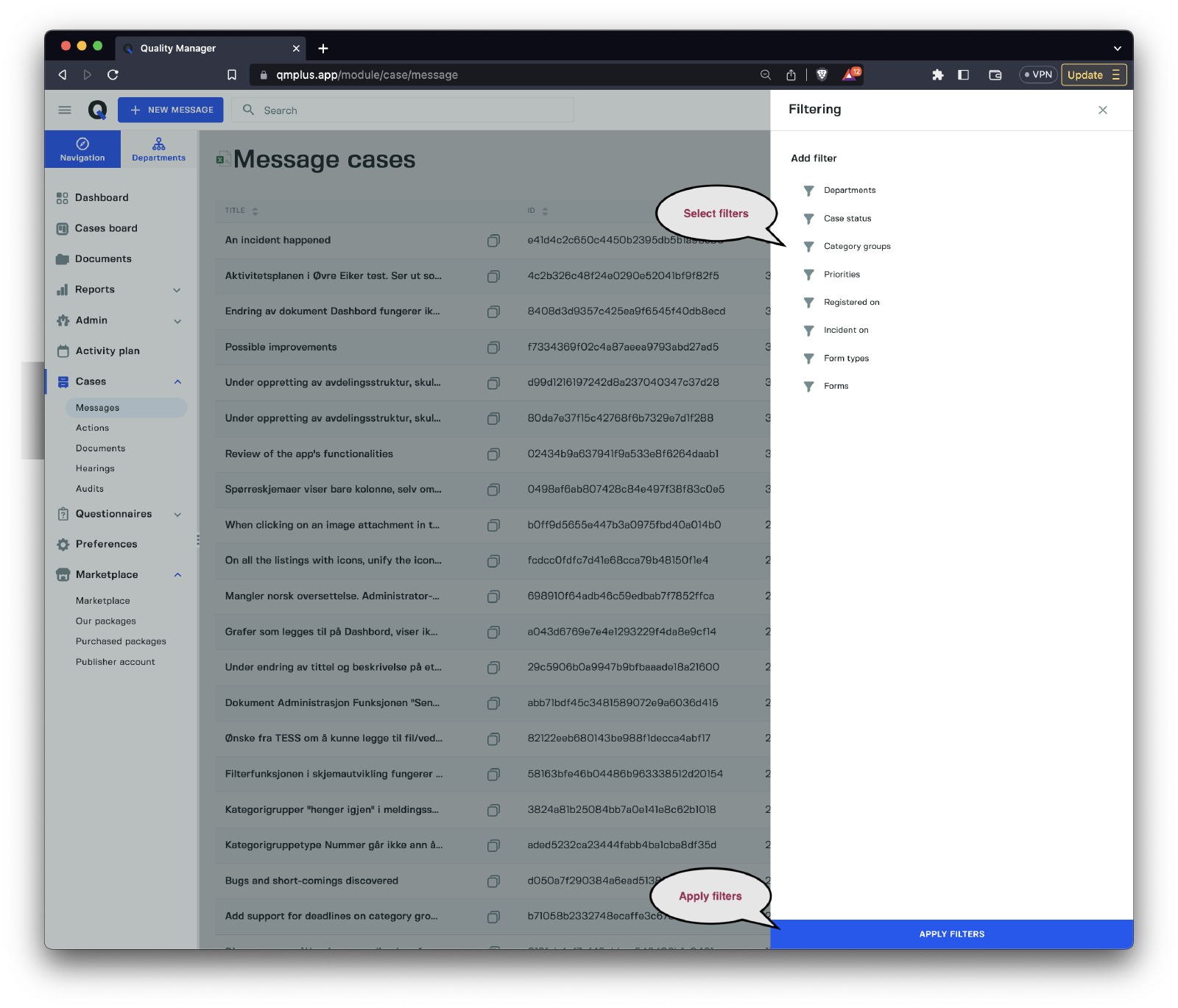
To narrow down the list of message cases, users can add various filters:
| Filter | Description |
|---|---|
Departments | Filter cases by departments. |
Case status | Filter cases by their current status. |
Category group | Filter cases by category group. |
Priorities | Filter cases by their priority level. |
Registered on | Filter cases by their registration date. |
Incident on | Filter cases by the date the incident occurred. |
Form types | Filter cases by form type. |
Forms | Filter cases by specific forms. |
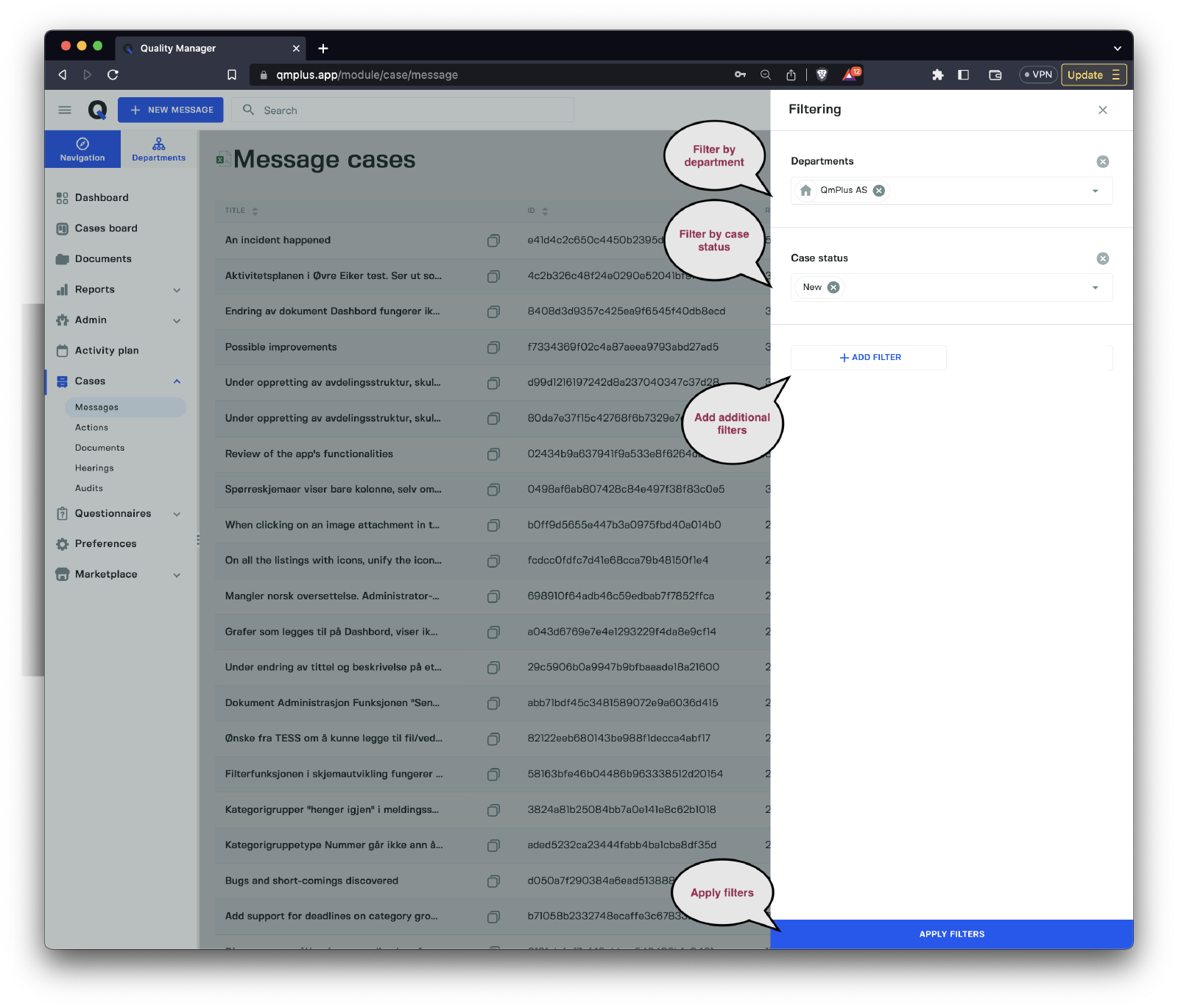
The image above illustrates the application of two filters: cases for the department QmPlus AS and cases with a status of New. To add more filters, click the Add Filter button. Once you’ve selected your filters, click the Apply Filters button to return to the case list with all filters applied.
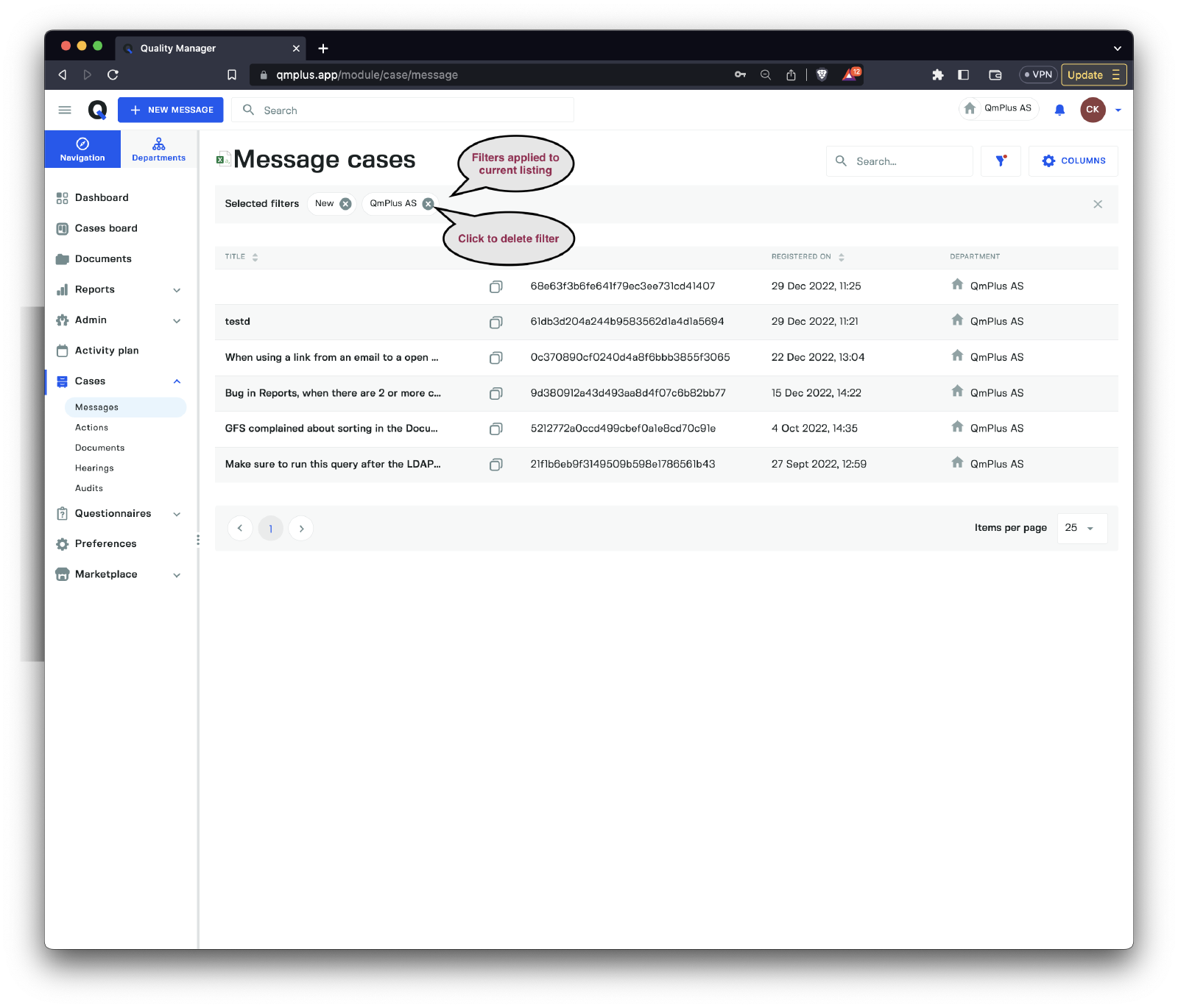
After applying the filters, you can see the updated list view.
Columns
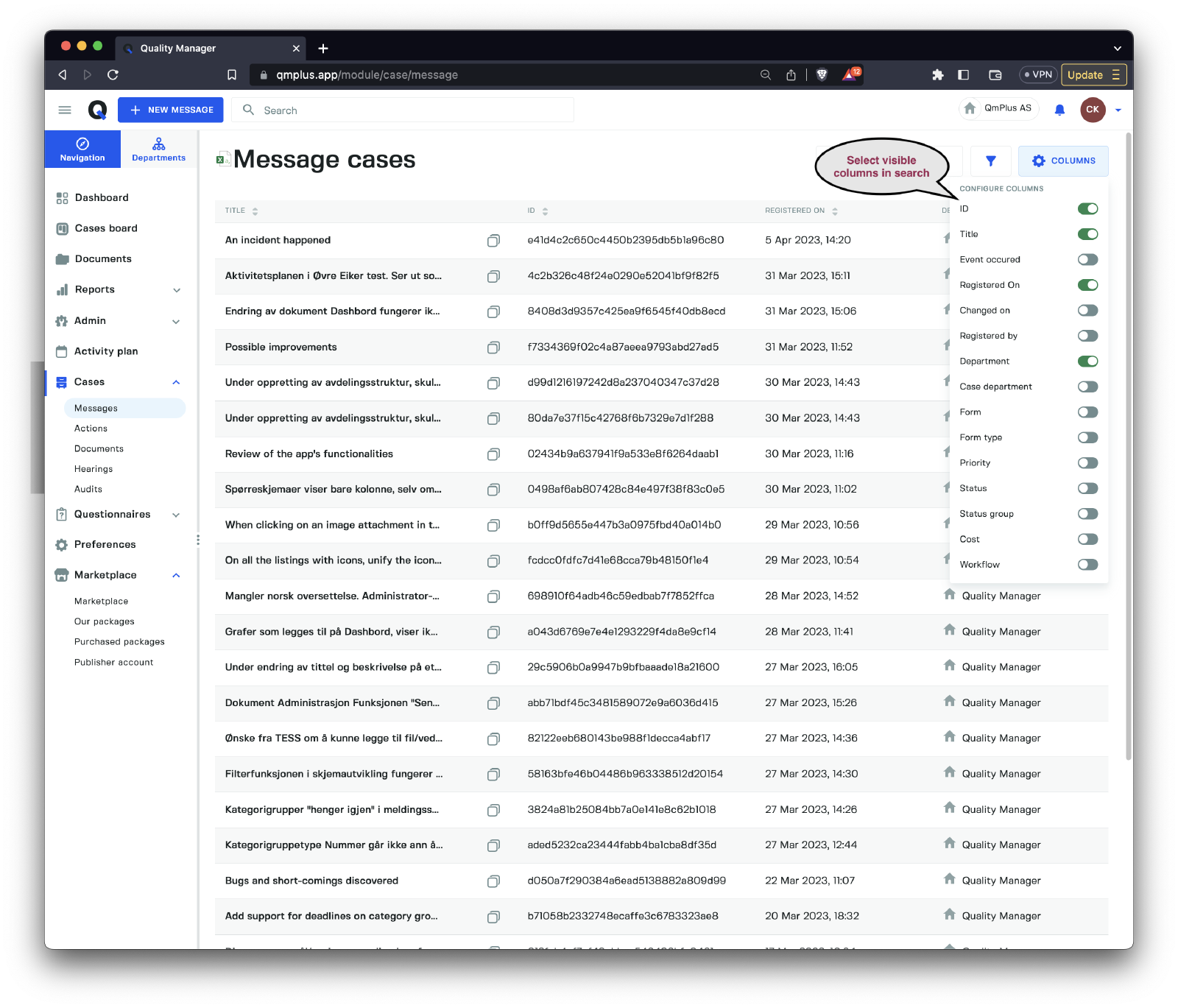
Customize the list view to display your preferred columns.
| Column | Description |
|---|---|
ID | The unique case ID. |
Title | The title of the case. |
Event occurred | The date the event took place. |
Registered on | The date the case was registered. |
Changed on | The date the case was last modified. |
Registered by | The user who registered the case. |
Department | The department where the case was initially registered. |
Case department | The current department handling the case (not the message). |
Form | The name of the message form. |
Form type | The name of the message form type. |
Priority | The priority level of the case. |
Status | The current case status. |
Status group | The current case status group. |
Cost | The current cost associated with the case. |
Workflow | The name of the workflow linked to the case. |
By leveraging filters and customizing columns, you can optimize the case list view to manage and organize your cases efficiently.
Actions
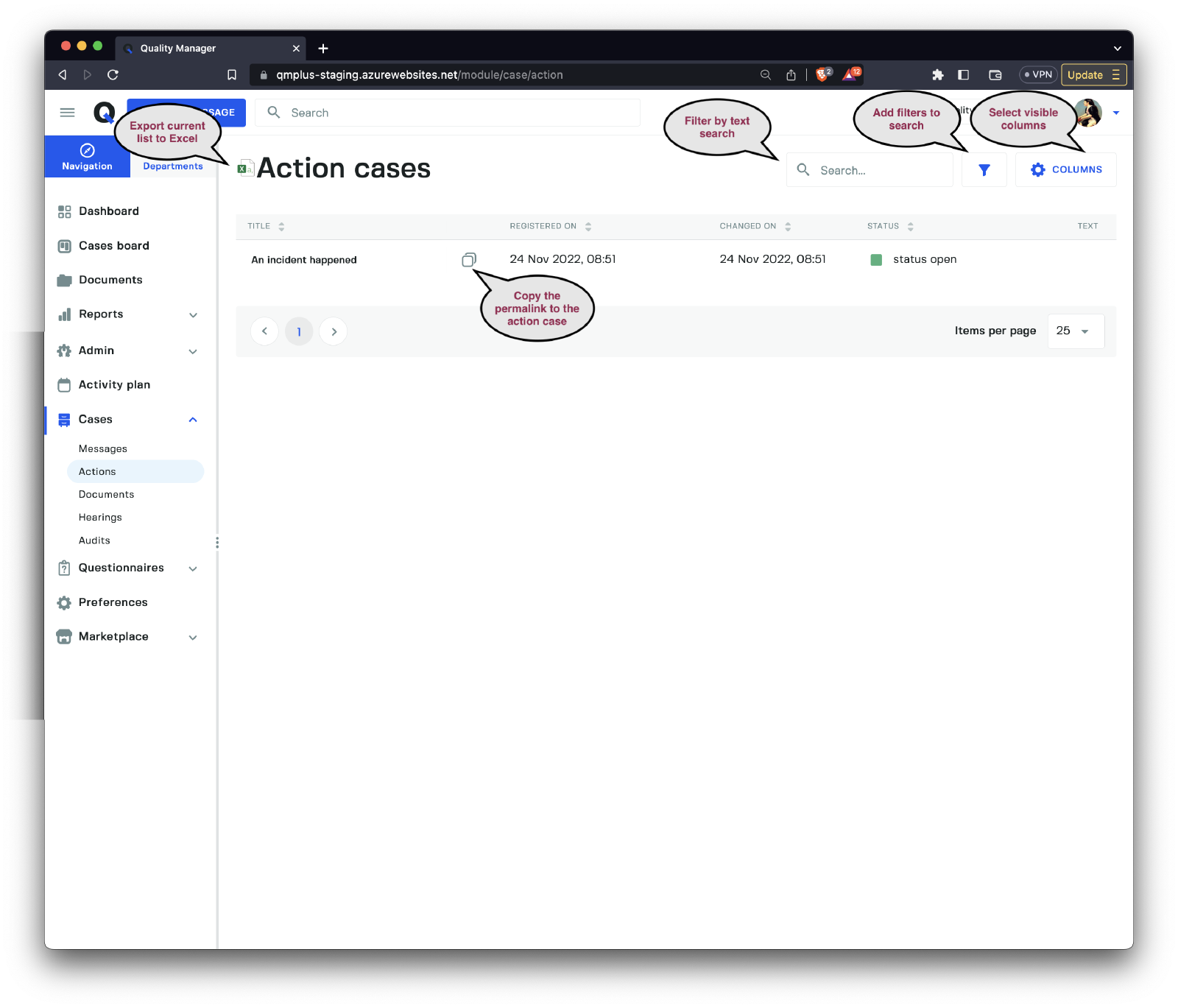
The actions list offers a comprehensive overview of all actions within the system. Users can apply filters to quickly locate specific actions or a group of related actions.
Filters
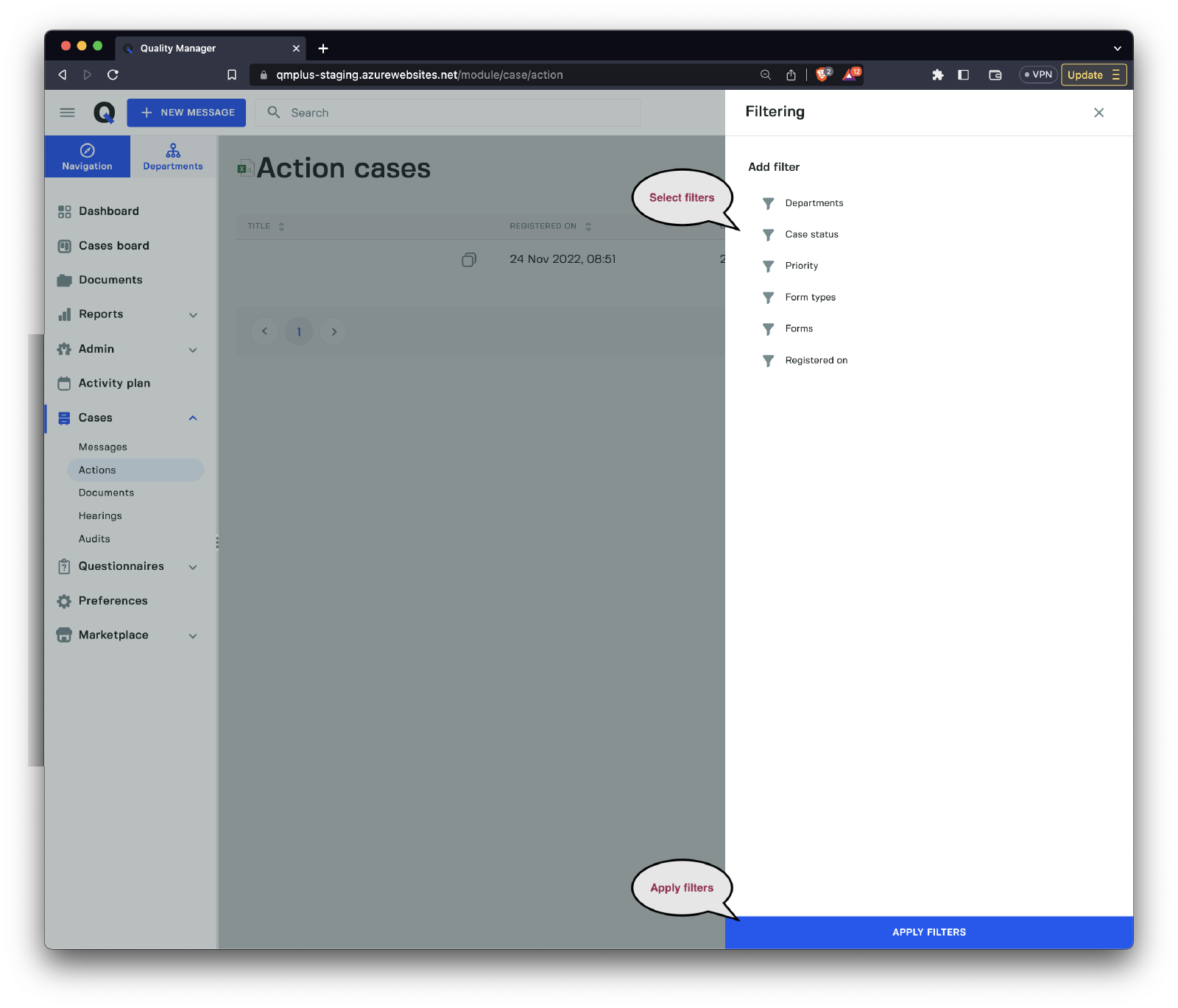
To refine the list of action cases, users can apply the following filters:
| Filter | Description |
|---|---|
Departments | Filter cases by department. |
Case status | Filter cases by their current status. |
Priorities | Filter cases by priority level. |
Registered on | Filter cases by registration date. |
Form types | Filter cases by form type. |
Forms | Filter cases by specific forms. |
Columns
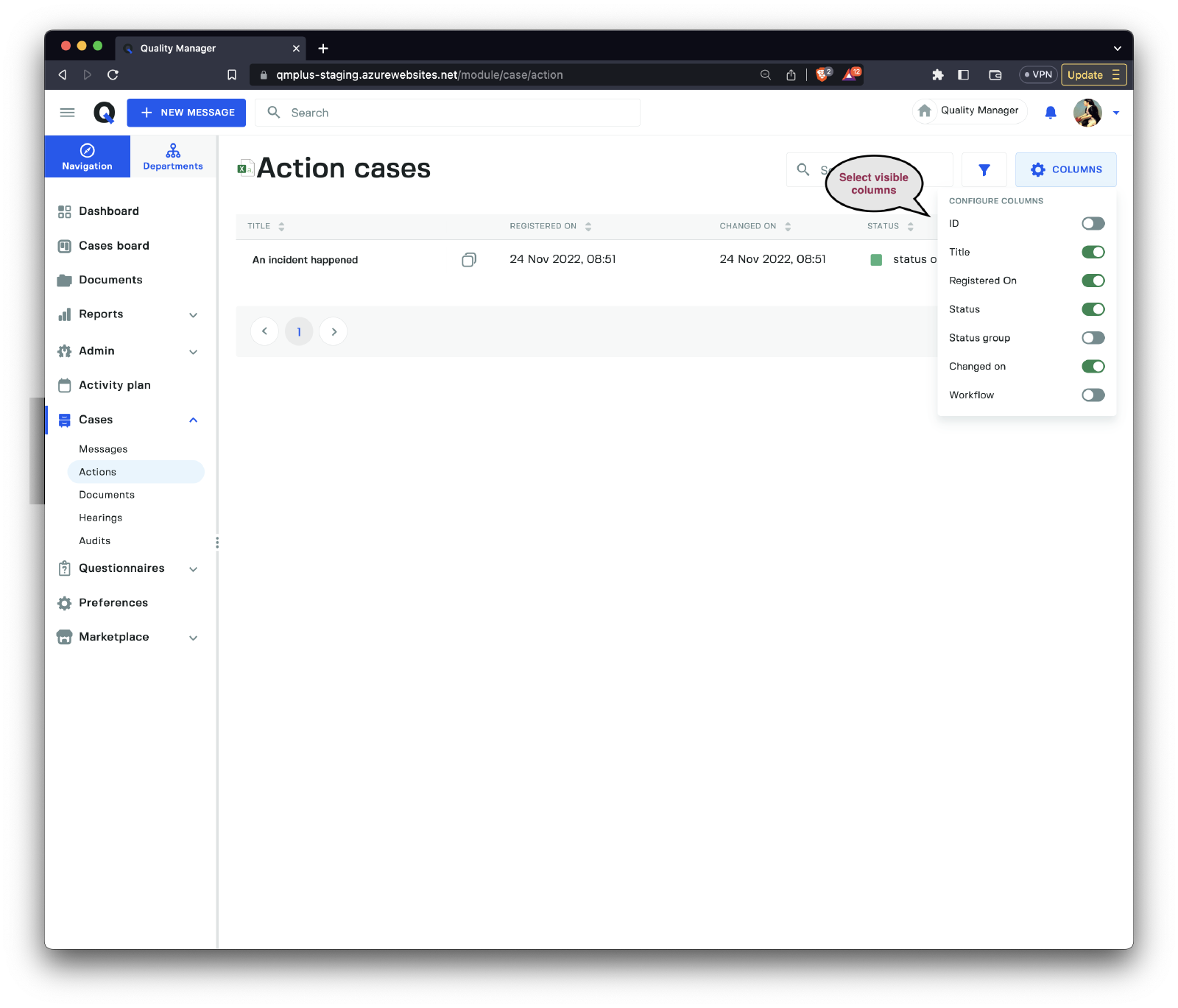
Customize the list view by selecting your preferred columns.
| Column | Description |
|---|---|
ID | The unique case ID. |
Title | The title of the case. |
Registered on | The date the case was registered. |
Status | The current case status. |
Status group | The current case status group. |
Changed on | The date the case was last modified. |
Workflow | The name of the workflow linked to the case. |
Documents
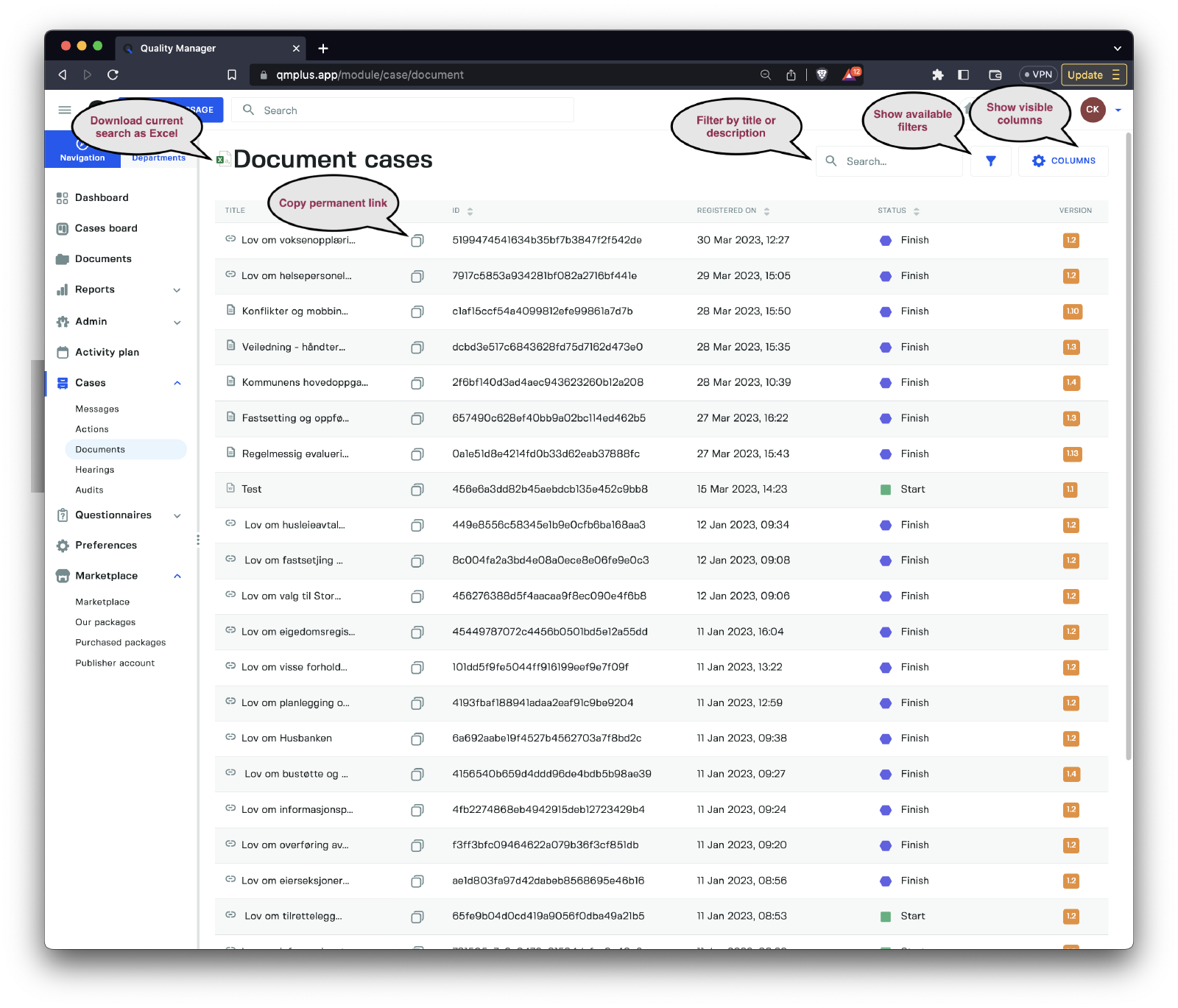
The documents list displays an overview of all documents within the system. Users can apply filters to easily find specific documents or a group of related document cases.
Filters
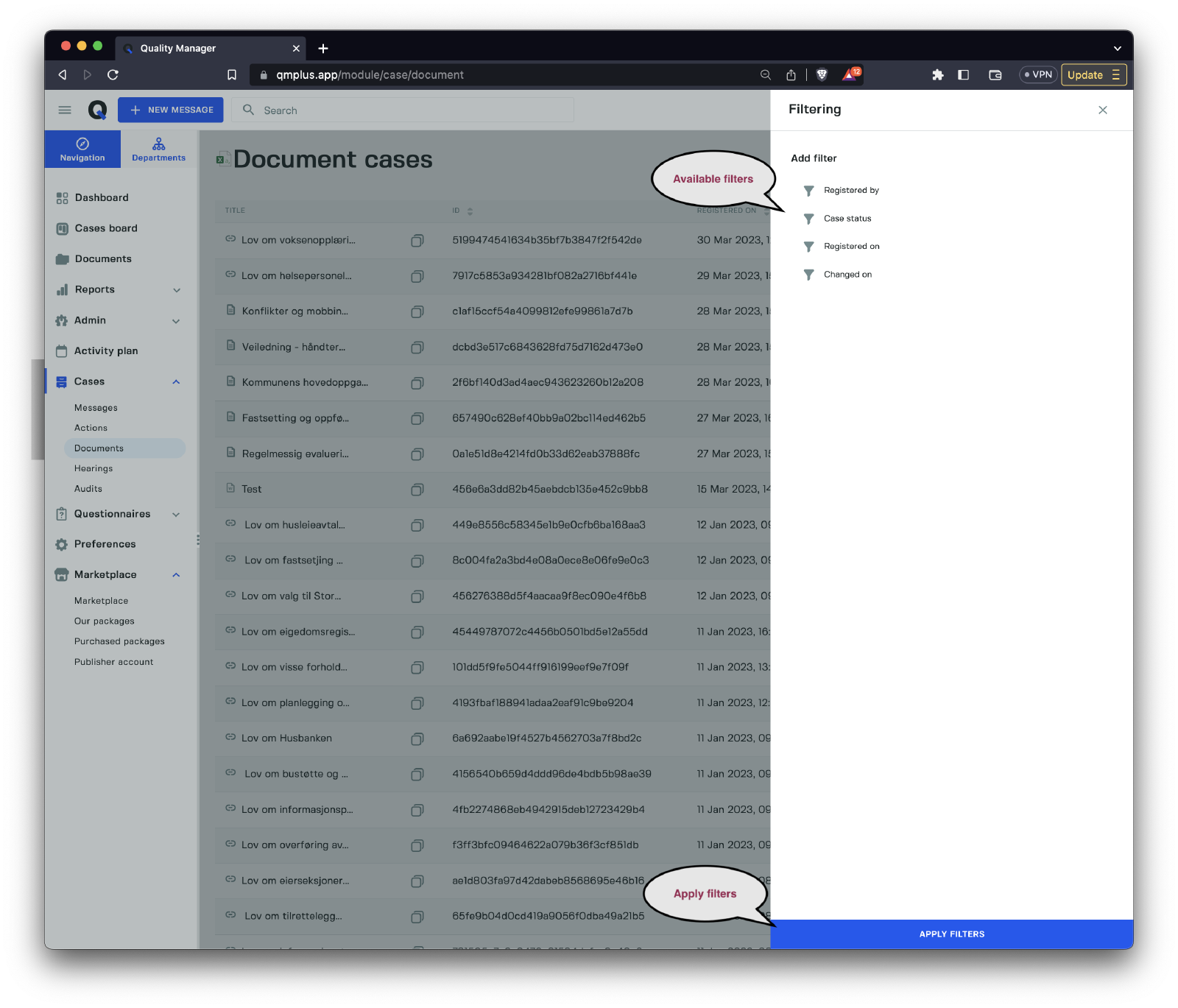
Use the following filters to narrow down the document cases:
| Filter | Description |
|---|---|
Registered by | The user who registered the case. |
Case status | Filter cases by their current status. |
Registered on | Filter cases by registration date. |
Changed on | The date the case was last modified. |
Columns
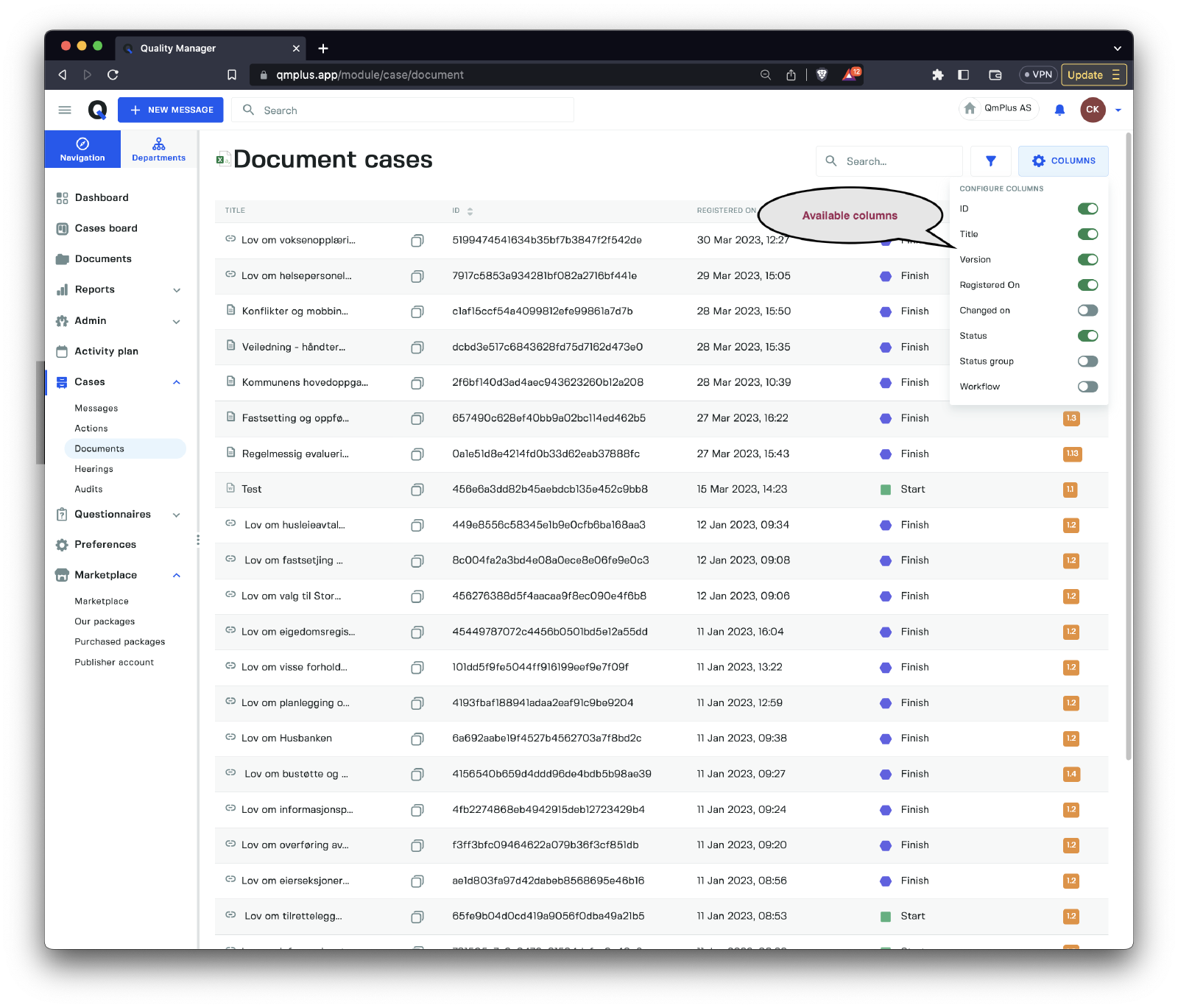
Adjust the list view to display your preferred columns.
| Column | Description |
|---|---|
ID | The unique case ID. |
Title | The title of the case. |
Version | The document version. |
Registered on | The date the case was registered. |
Changed on | The date the case was last modified. |
Status | The current case status. |
Status group | The current case status group. |
Workflow | The name of the workflow linked to the case. |
Hearings
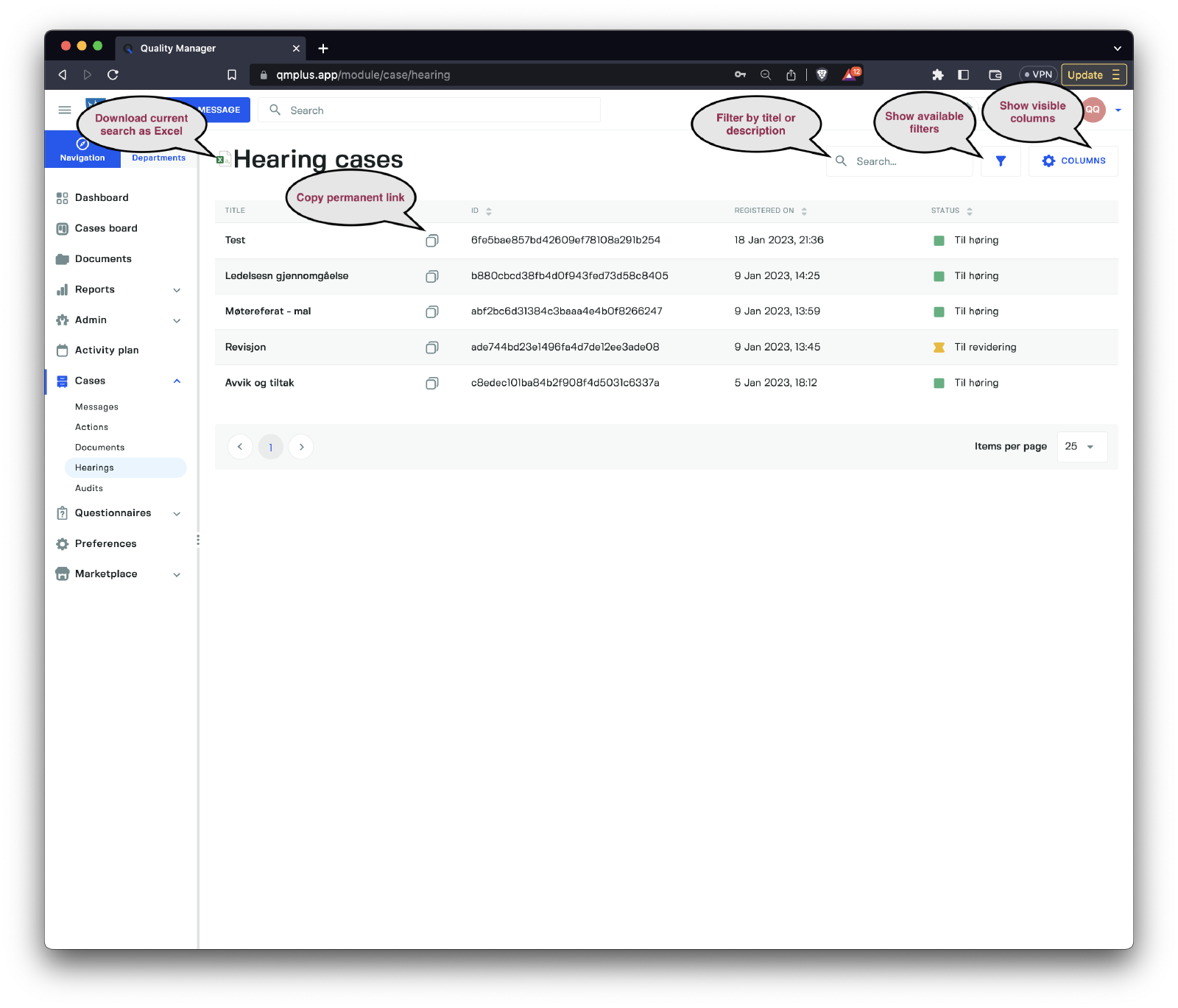
The hearings list provides an overview of all hearings within the system. Users can apply filters to quickly locate specific hearings or a group of related hearing cases.
Filters
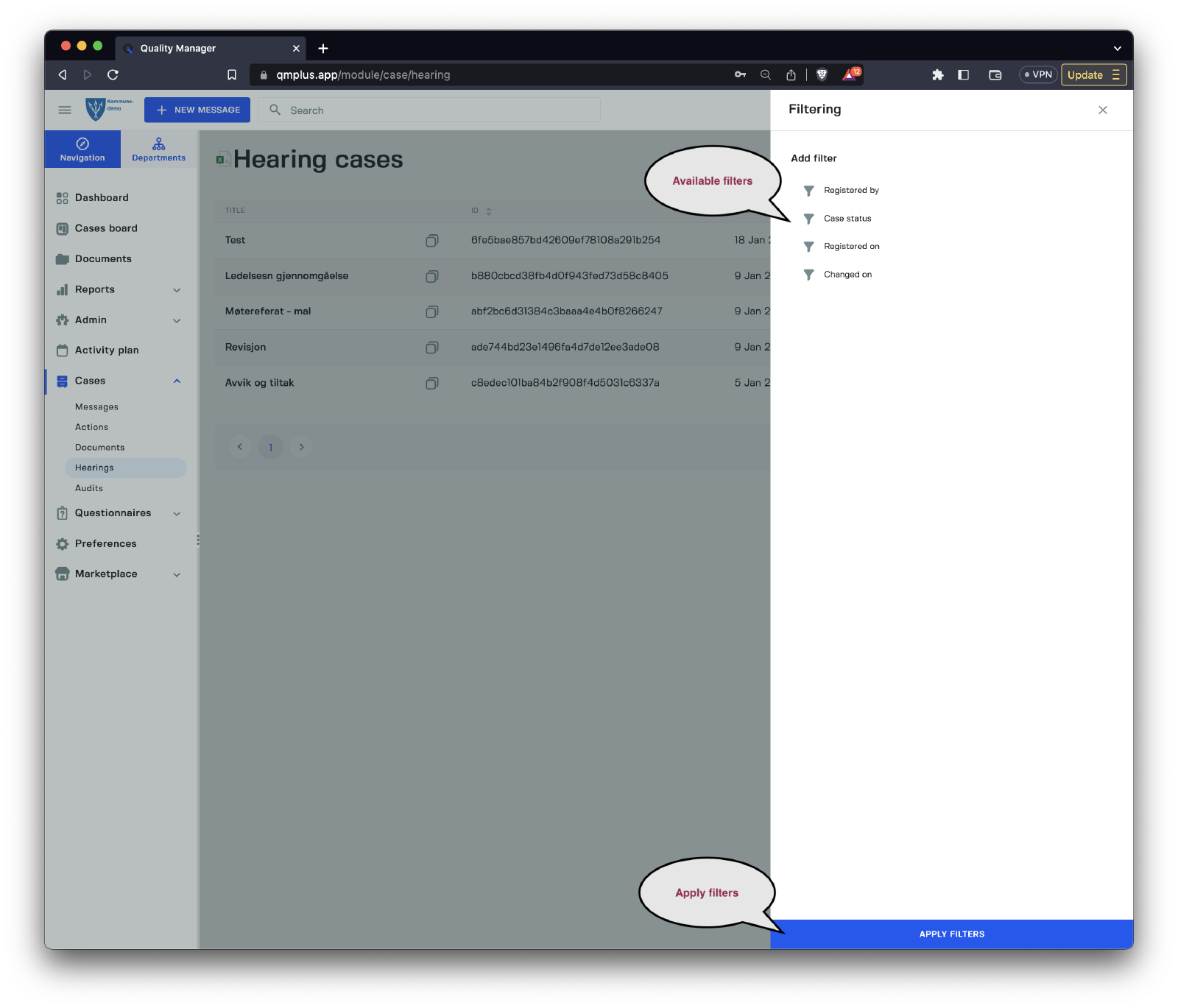
Users can apply filters to refine the list of hearing cases, making it easier to find specific cases or groups of related cases:
| Filter | Description |
|---|---|
Registered on | Filter cases based on their registration date. |
Case status | Filter cases by their current status. |
Changed on | Filter cases based on the date they were last modified. |
Columns
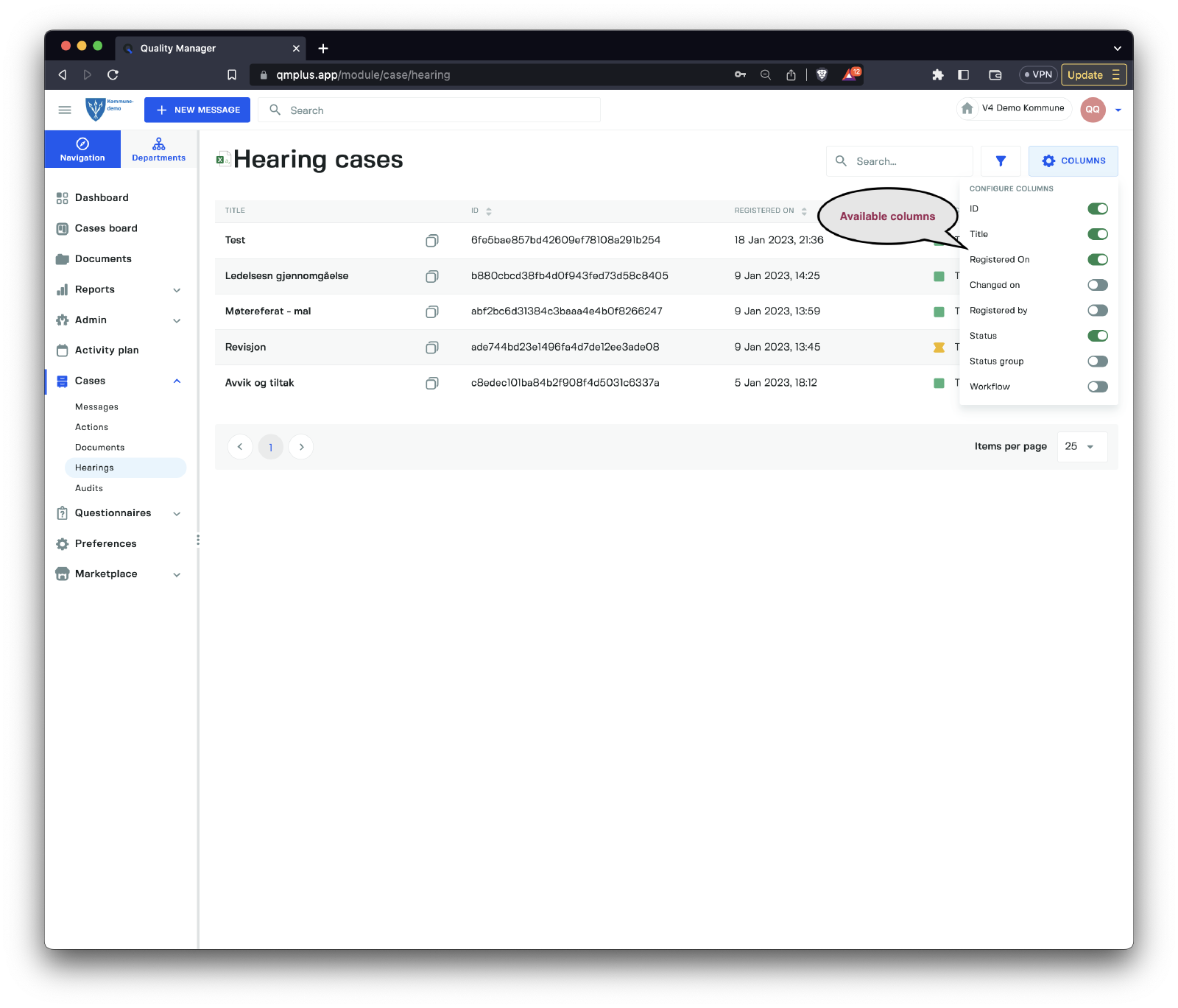
Customize the list view by selecting your preferred columns:
| Column | Description |
|---|---|
ID | The unique case ID. |
Title | The title of the case. |
Registered on | The date the case was registered. |
Changed on | The date the case was last modified. |
Status | The current case status. |
Status group | The current case status group. |
Workflow | The name of the workflow linked to the case. |
Audits
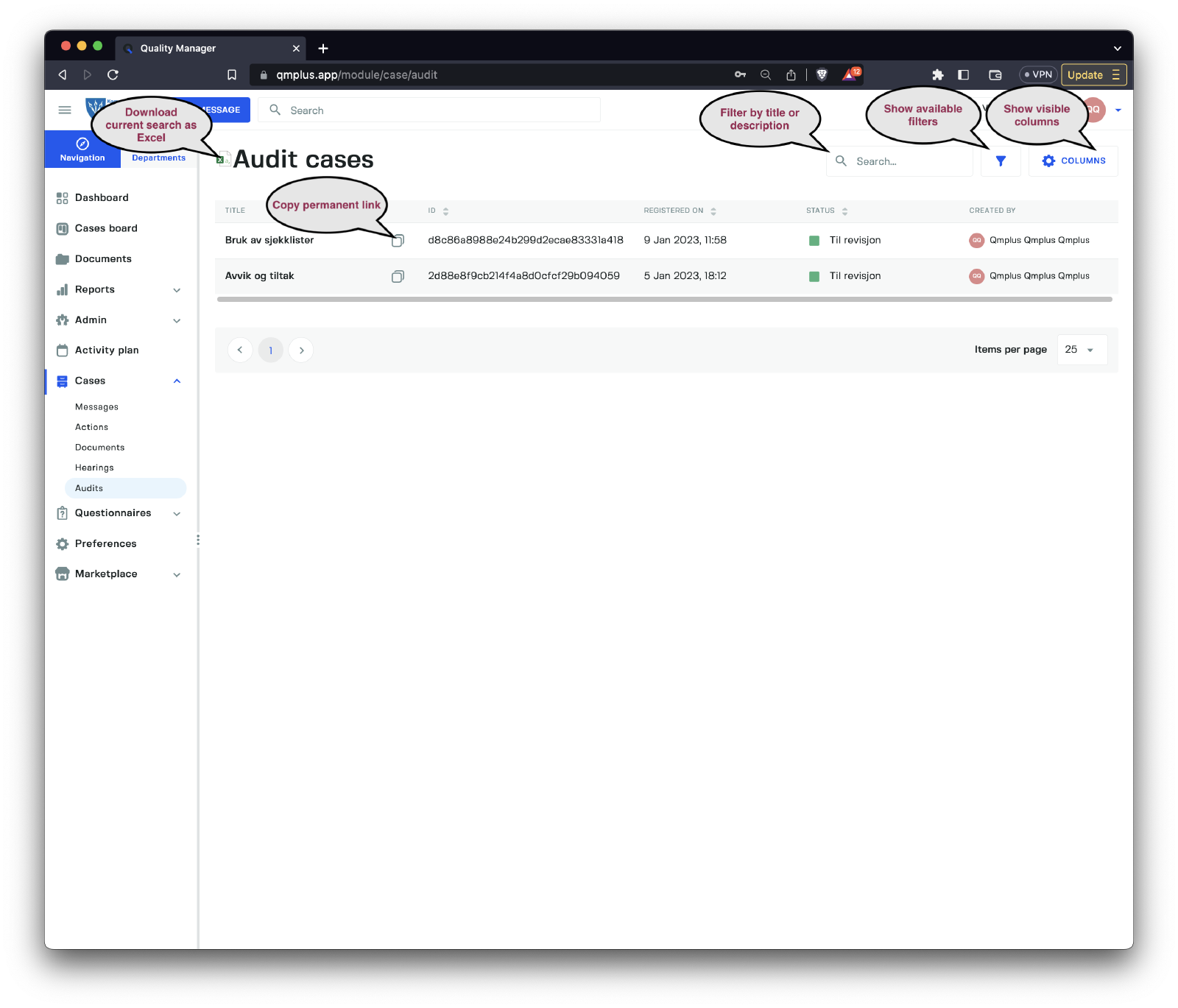
The audits list displays an overview of all audit cases in the system. Users can apply filters to quickly locate specific audit cases or groups of related cases.
Filters
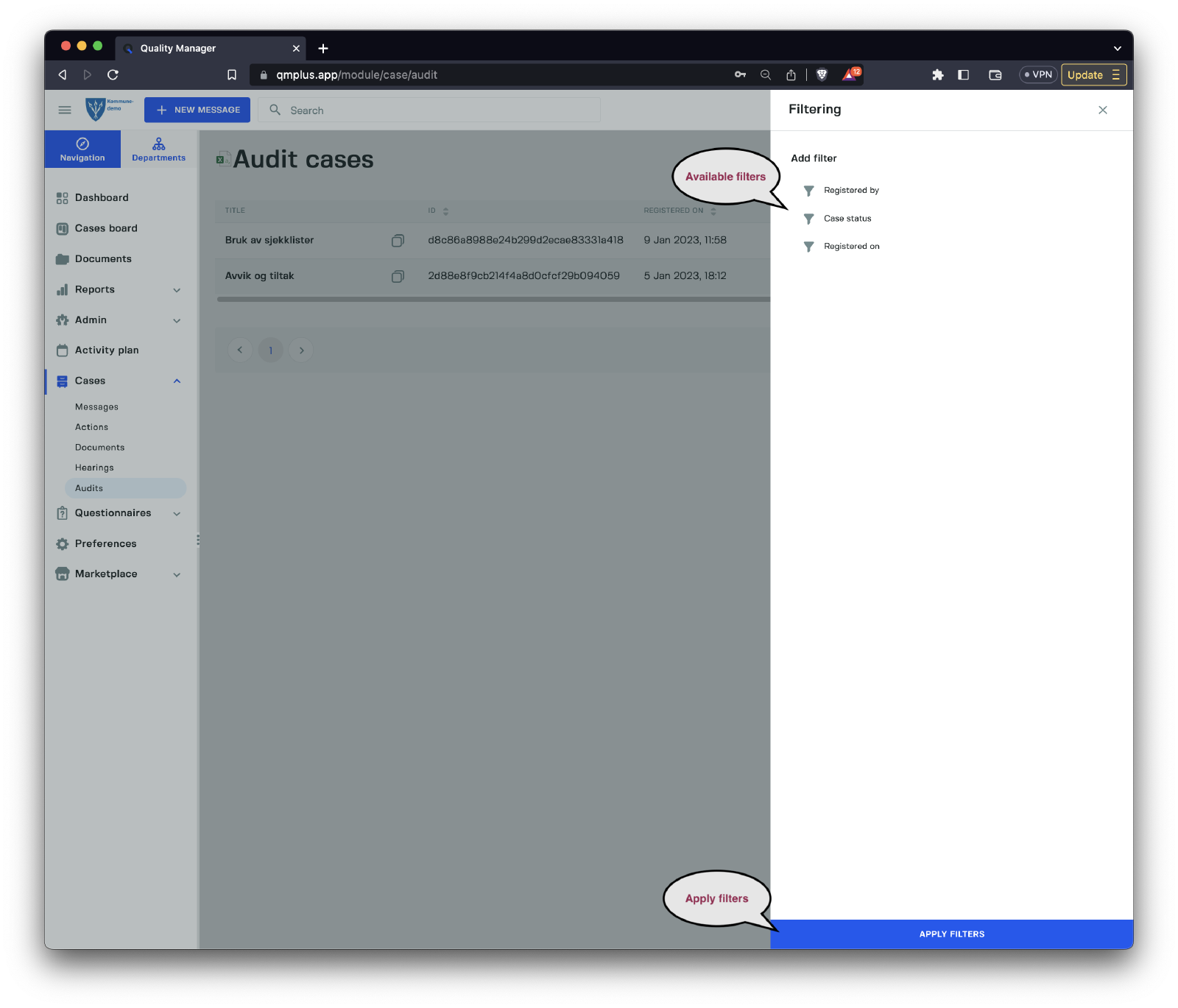
Use the following filters to narrow down the list of audit cases:
| Filter | Description |
|---|---|
Registered on | Filter cases based on their registration date. |
Case status | Filter cases by their current status. |
Columns
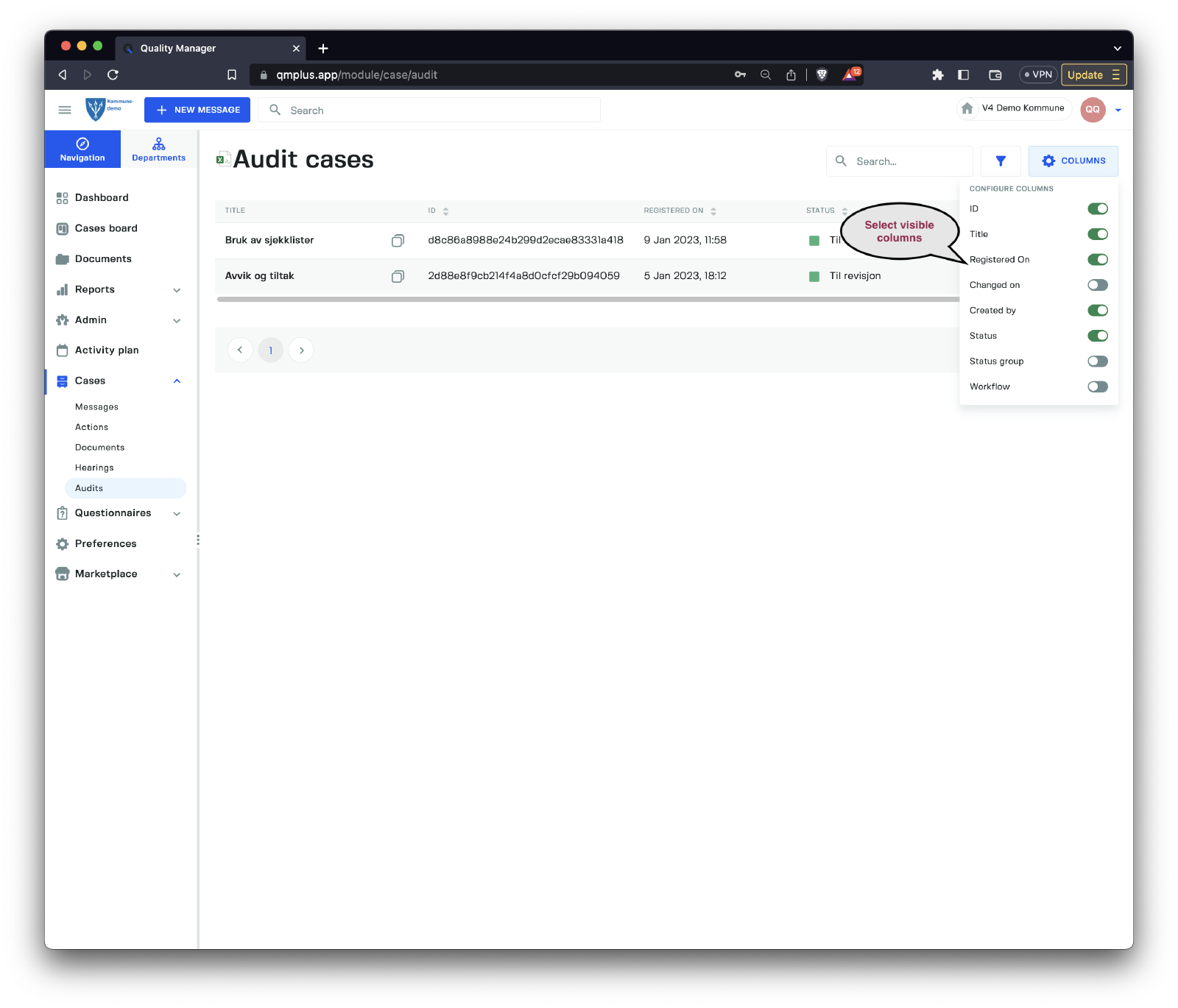
Adjust the list view to display your preferred columns:
| Column | Description |
|---|---|
ID | The unique case ID. |
Title | The title of the case. |
Registered on | The date the case was registered. |
Changed on | The date the case was last modified. |
Created by | The user who created the audit case. |
Status | The current case status. |
Status group | The current case status group. |
Workflow | The name of the workflow linked to the case. |