Documents
A user guide for browsing document dashboards.
This section allows you to browse through the published document dashboards, access individual documents, and mark your favorite documents for easy access later.
Clicking on the Documents option provides access to the published document dashboards.
Document Dashboards
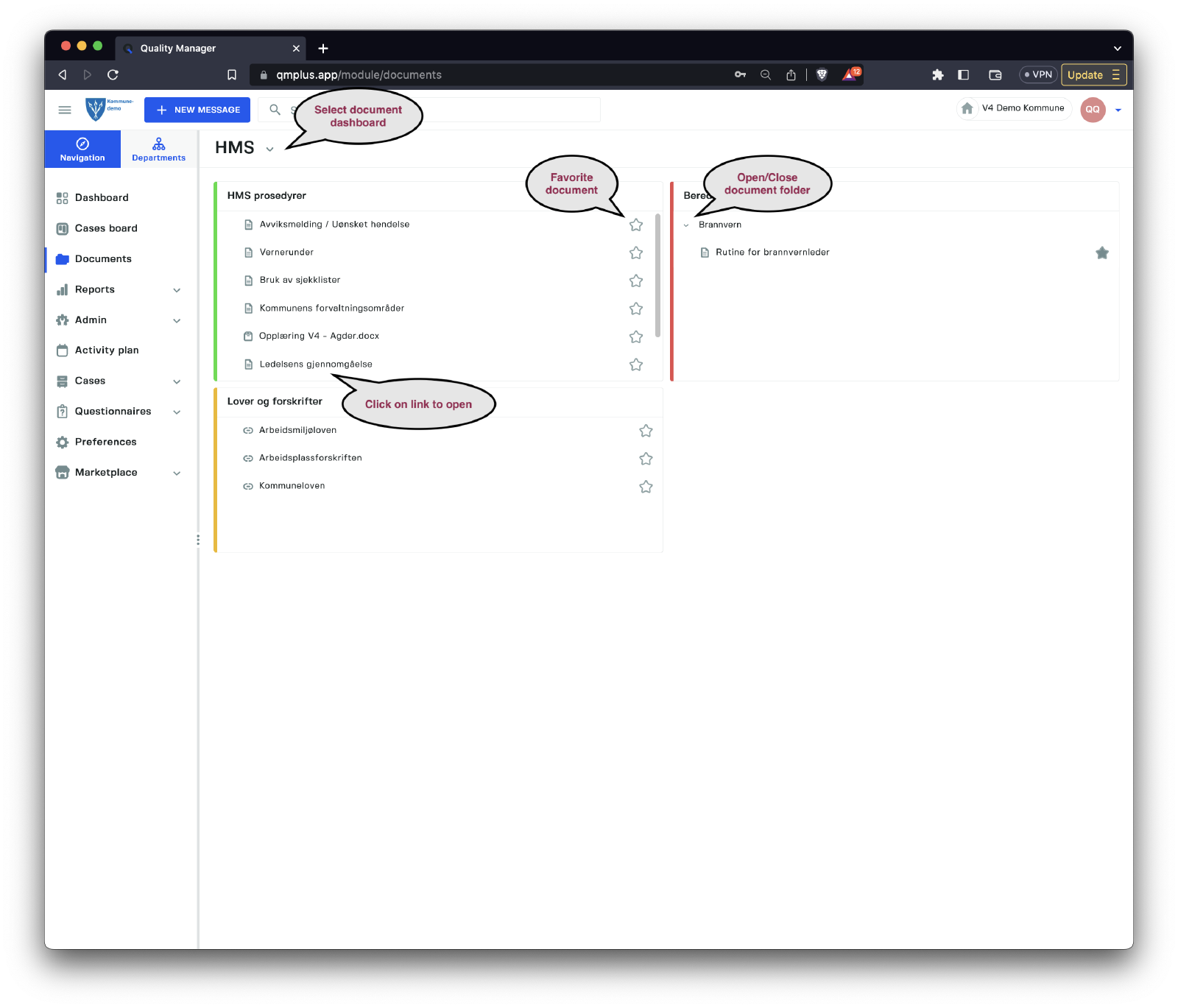
The Documents menu grants users access to all document dashboards that are visible to them based on their assigned department and permissions.
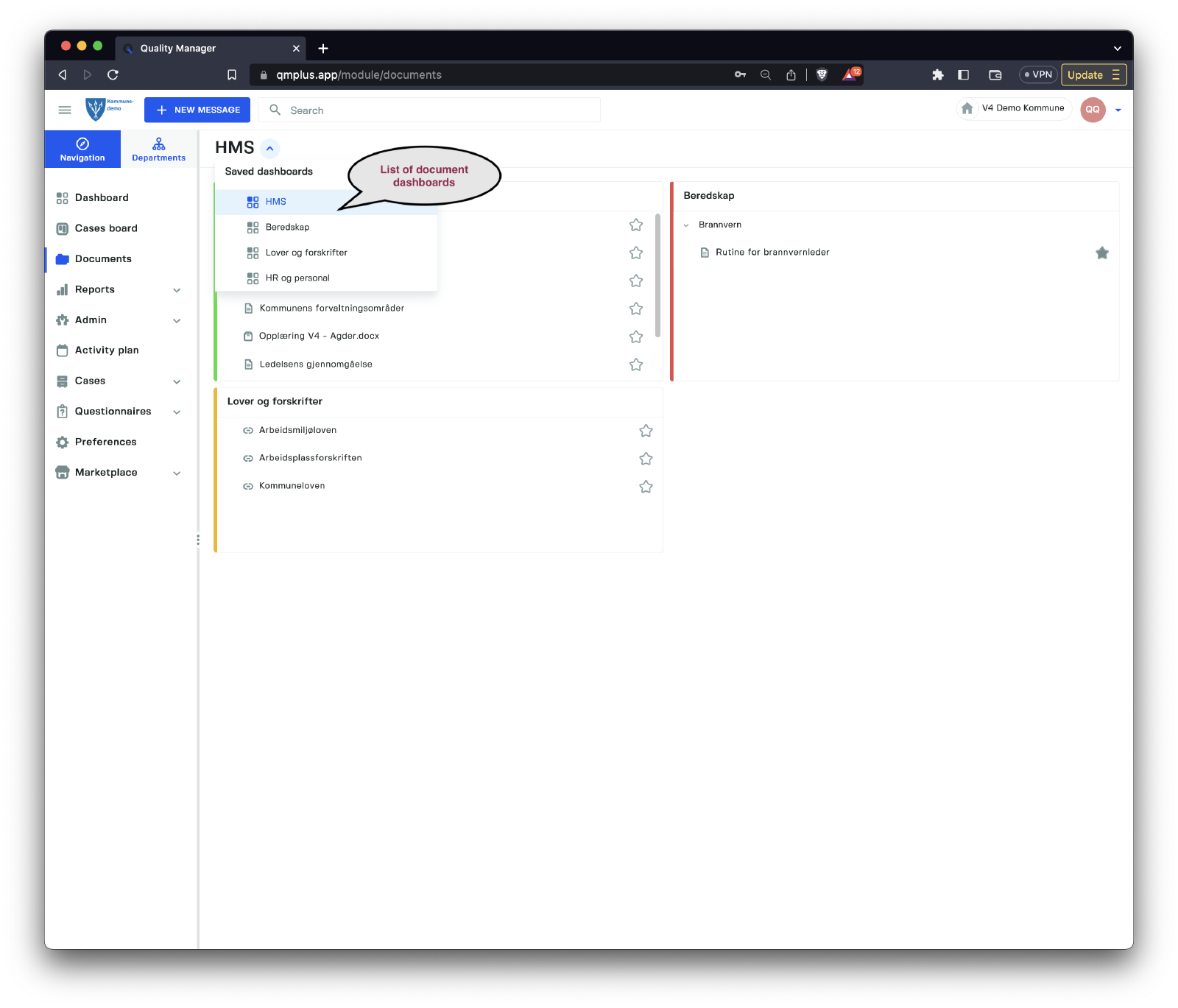
Users can navigate between different lists by clicking on the arrow next to the current dashboard name. They can also click on individual documents to open them and mark documents as favorites for easier access later.
Documents marked as favorites will be visible in the user’s dashboard if they have added the
Favorite Documentscomponent to their dashboard. This feature makes it more convenient to quickly access frequently used or important documents.