Administrator/Form Types
A user guide for working with form types. We cover how to create and modify form types.
This section focuses on managing form types within the system.
Clicking on Administrator/Form Types provides access to the list of form types.
Form Types serve as a way to group forms together, allowing the system to apply shared settings across all forms based on a specific form type.
List of Form Types
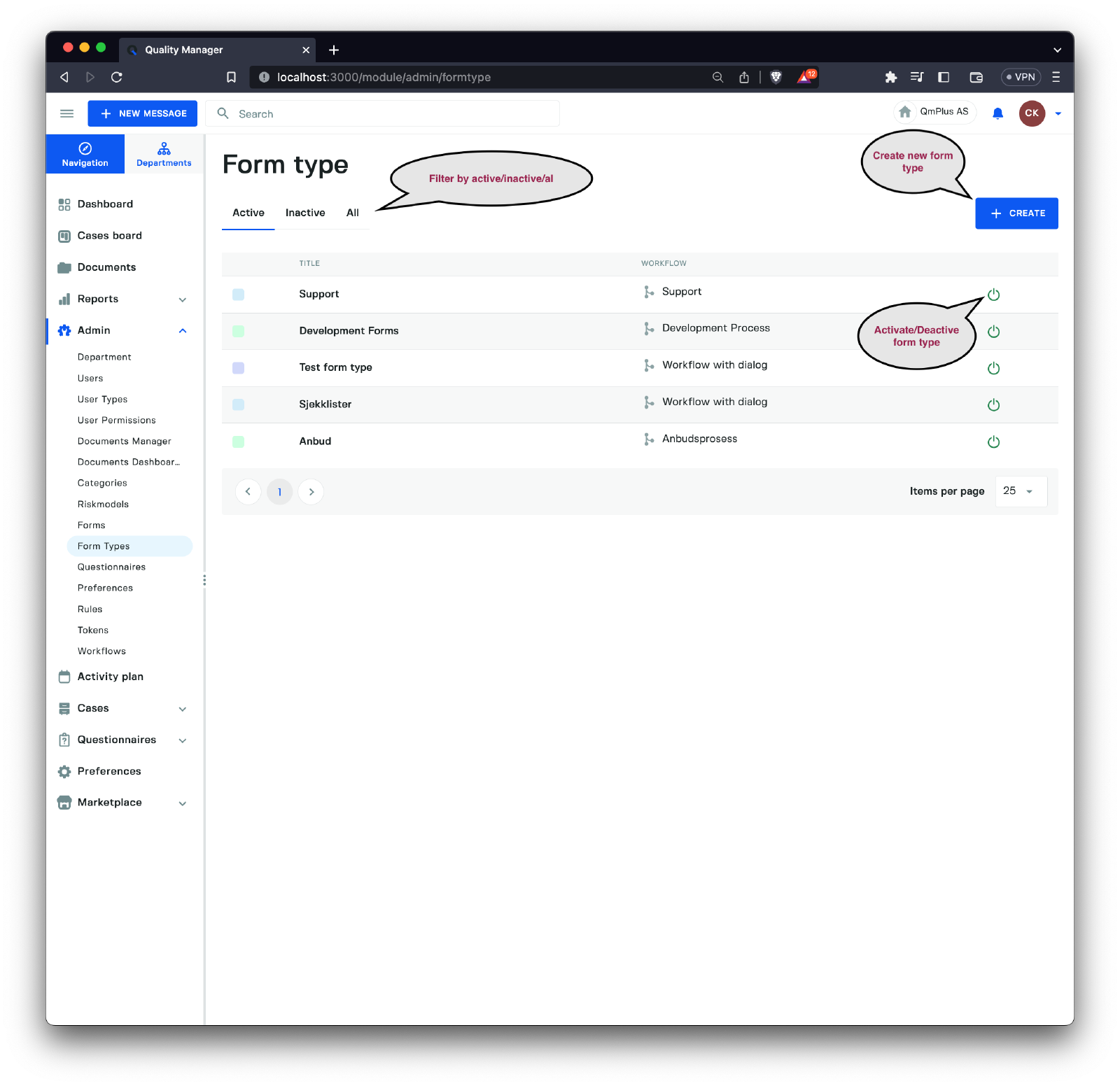
You can filter form types by their status as Active or Inactive or view All of them. Click the button on the right of each form type to Activate or Deactivate a specific form type. Additionally, you can create a new Form Type by clicking the Create button.
Creating a New Form Type
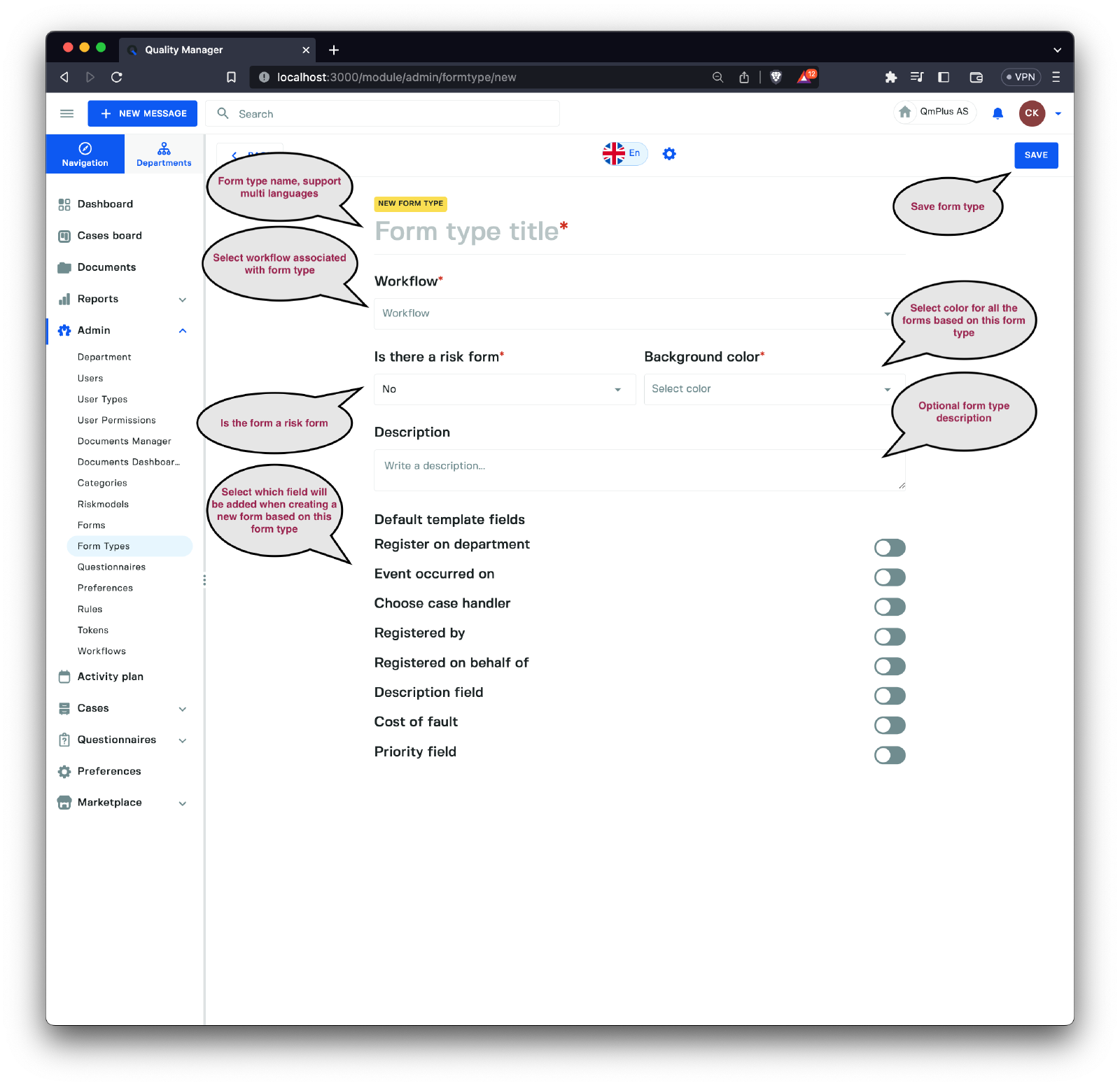
A Form Type allows you to manage a set of expectations for forms based on this specific Form Type. To create one, you need to provide the following options:
| Field | Description |
|---|---|
Form type title | The title for the form type, with multi-language support. |
Workflow | The workflow tied to all forms based on this Form Type. |
Is there a risk form | Designates the form type as being a risk form type. |
Background color | Specifies the background color for all forms based on this Form Type. |
Description | An optional description for a specific form type. |
Default template fields | Enables the specification of fields that should be included when creating a new form based on this form type. |
The Default template fields types include the following:
| Field | Description |
|---|---|
Register on department | Field allowing you to select the department in which the message should be registered. |
Event occurred on | Provides a component that lets you set the date/time the event associated with the form registration occurred. |
Choose case handler | Field allowing you to select the case handler who should receive the form entry. |
Registered by | A field enabling the user entering a message to select the person who registered the message. |
Registered on behalf of | A field allowing the user entering a message to select the person they are registering the message on behalf of. |
Description field | A field that lets you provide a description to be logged as part of the case title and information. |
Cost of fault | A field allowing you to specify a cost associated with registering a new message. |
Priority field | A field enabling you to select the priority of the message being registered. |