Questionnaires
A user guide for working with questionnaires.
This section focuses on searching and accessing questionnaires.
Clicking on the questionnaires provides access to the list of registered questionnaires within the system.
Questionnaire Entries List
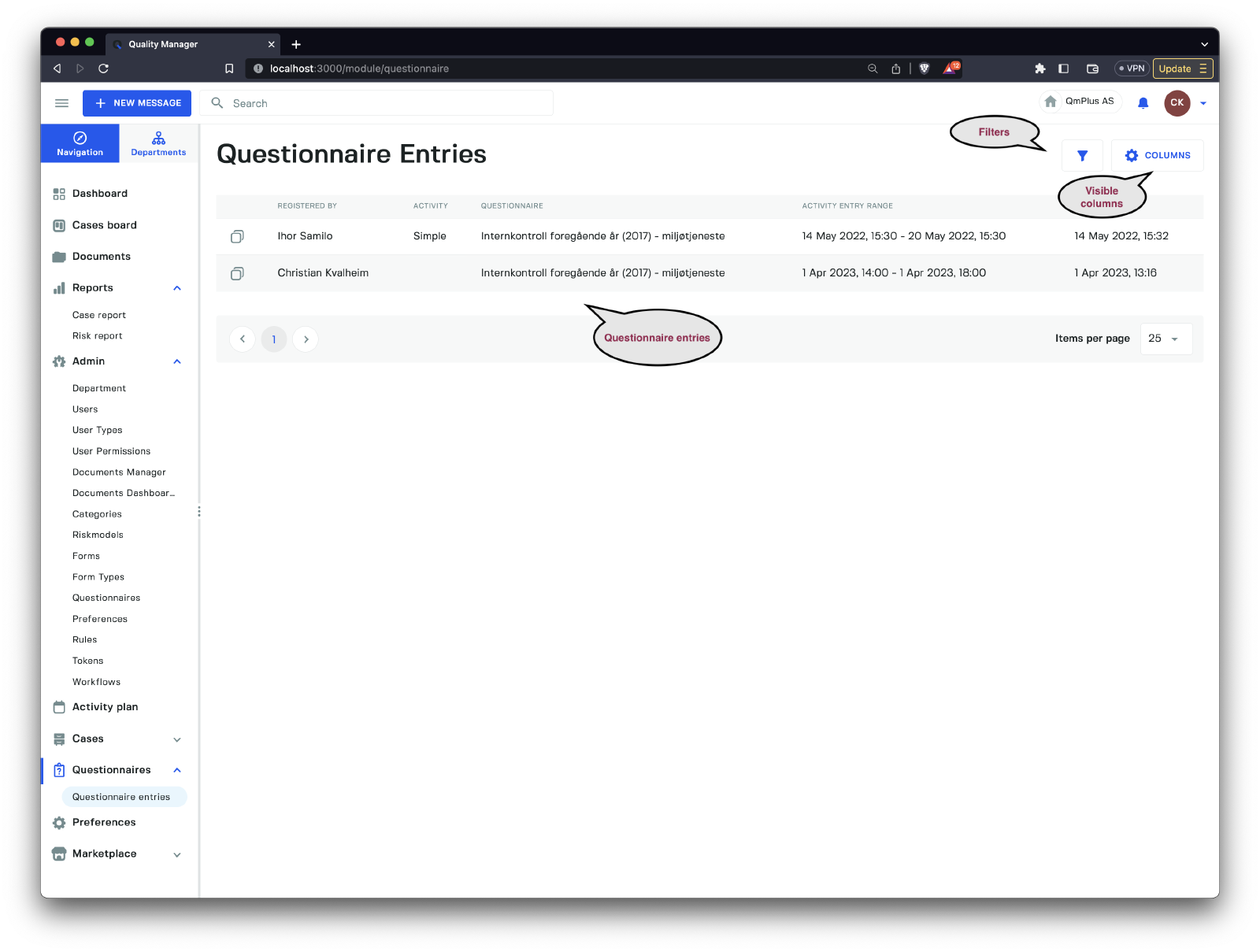
The Questionnaires menu entry displays a list of all questionnaire entries saved in Q. You can filter the entries by clicking the Filters button.
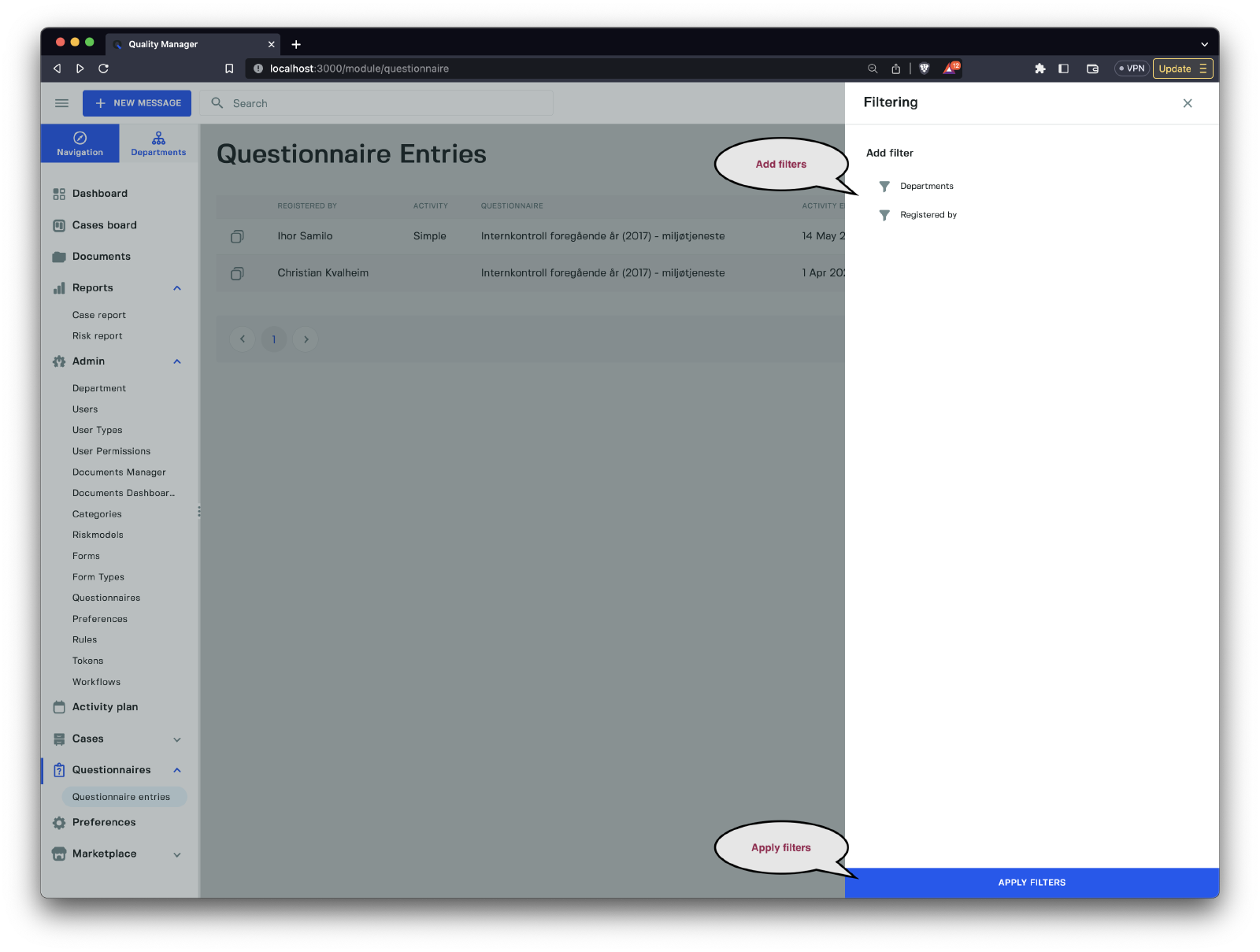
The available filters include:
| Filter | Description |
|---|---|
Departments | Select the departments by which to filter the questionnaires. |
Registered by | Select the users by which to filter the questionnaires. |
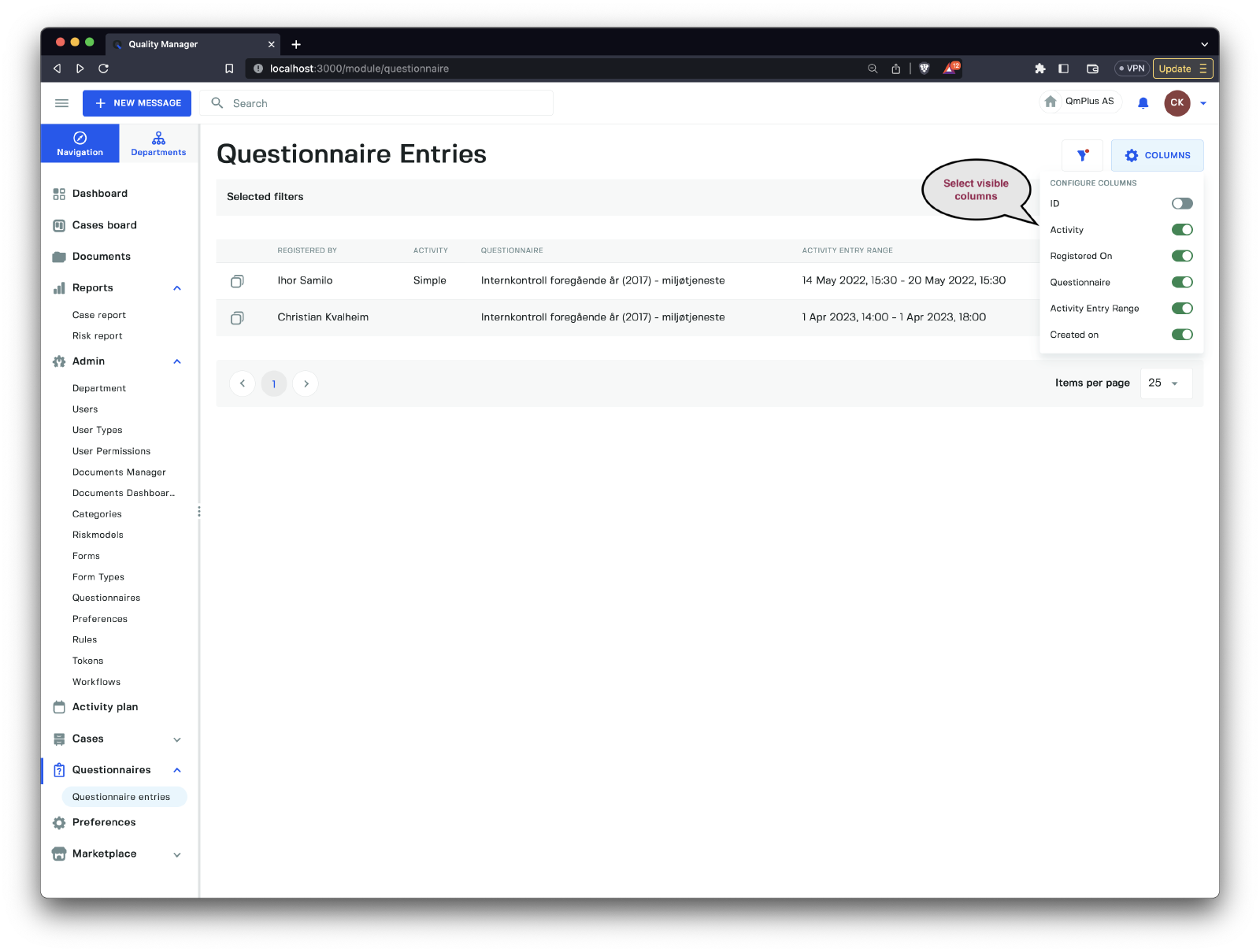
Users can choose which columns should be visible in the listing.
| Column | Description |
|---|---|
ID | The case ID. |
Activity | The type of associated activity. |
Registered on | The date the case was registered. |
Questionnaire | The name of the questionnaire. |
Activity Entry Range | The date range for the activity entry range. |
Created on | The date the questionnaire entry was created. |
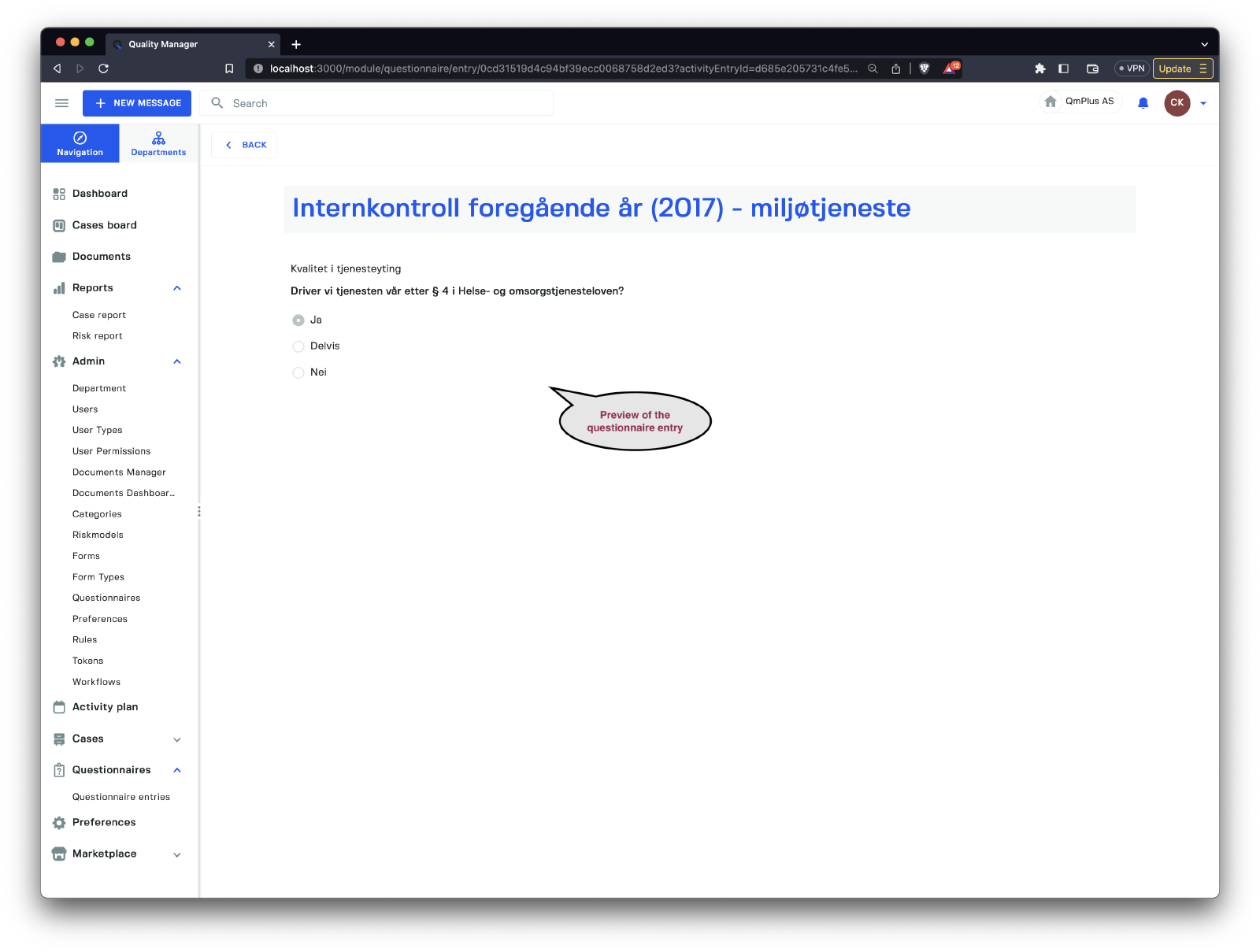
The example above shows a preview of a questionnaire entry (click on the questionnaire entry in the list to view the submitted questionnaire information).