Administrator/Riskmodels
A user guide for working with risk models. We cover how to create and modify risk models.
This section deals with managing risk models in the system.
Clicking on the Administrator/Riskmodels gives access to the list of risk models.
Risk models List
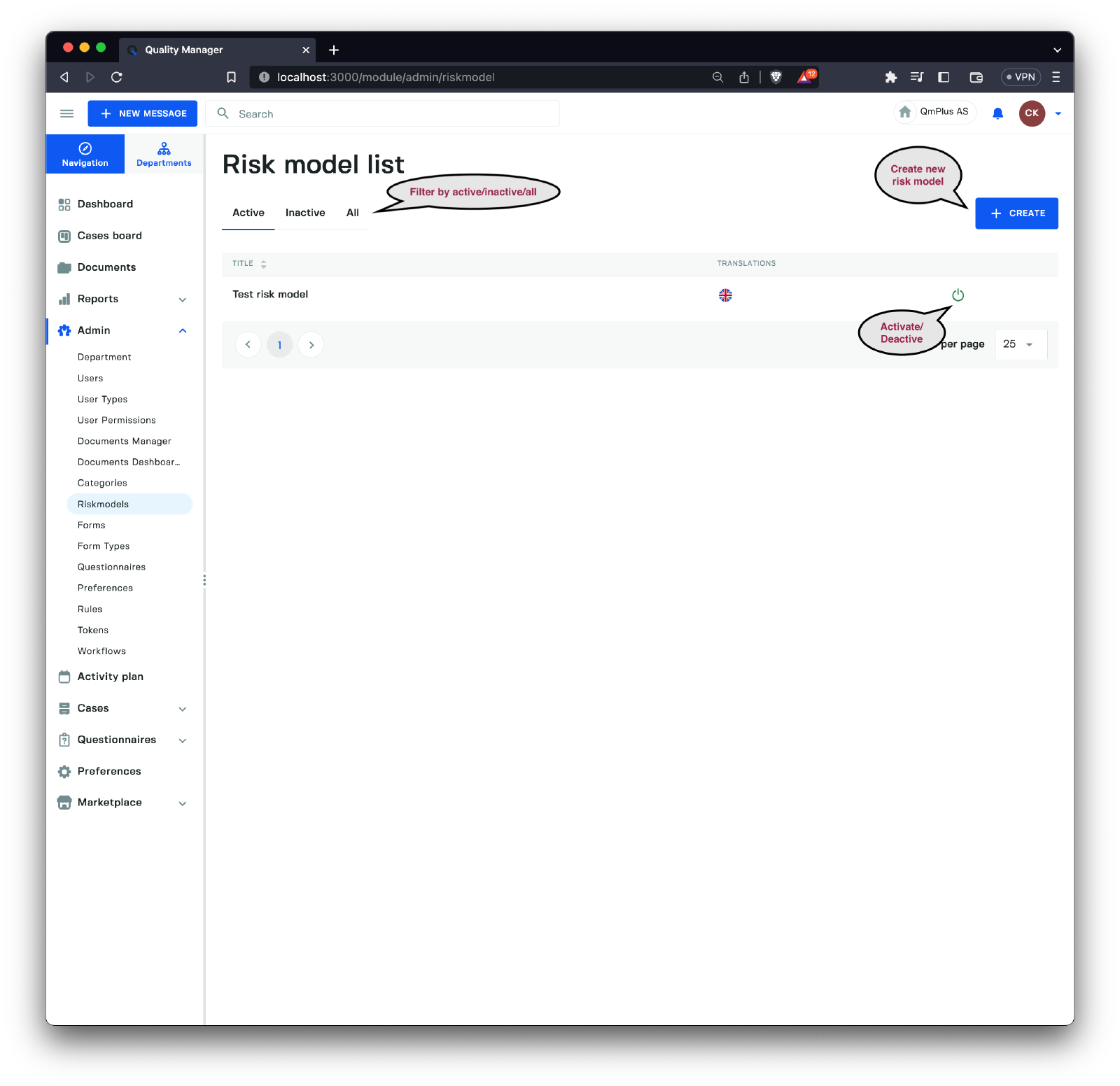
The list of risk models can be filtered by active/deactive or all. You can also activate / deactive risk models making them not visible when creating new category groups.
Finally clicking the Create button will allow us to create a new Risk Model.
Create new Risk Model
General Pages
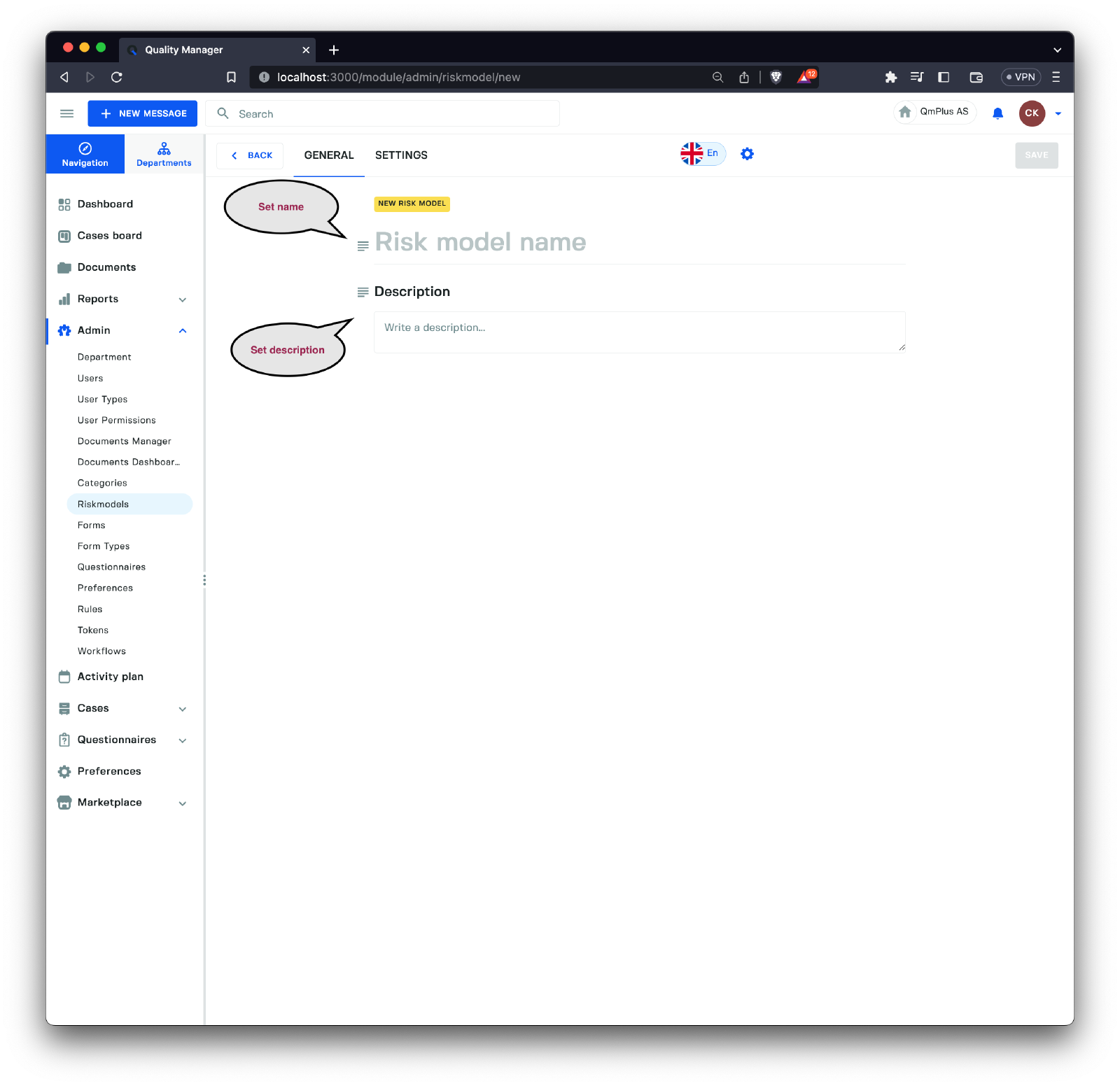
To create a new Risk Model we need to specify a name for the risk model (it supports multiple languages). One can also add an optional description for the model.
Building the Risk Model
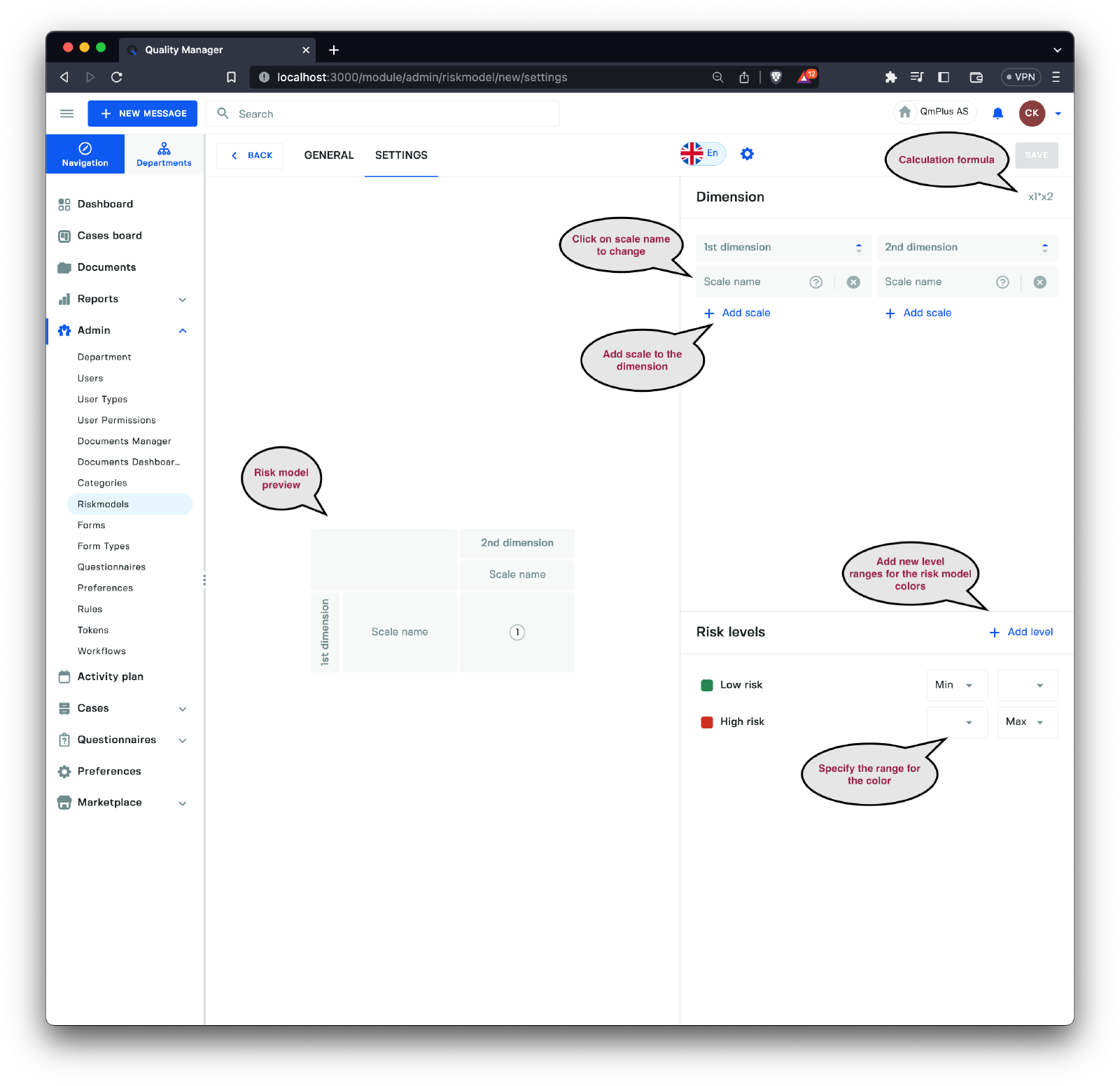
A risk model is composed of dimensions that contain scales with values used to calculate a final score.
For example, you might have a
Likelihoodscale as well as anImpactscale, where each scale in each dimension has an associated value.
When entering a risk value, the user will choose one value from each dimension, and the platform will then calculate a corresponding risk value dependent on the formula associated with the risk model.
As you add scales to the dimensions, you can see the preview of the risk model on the left. To define colors based on the calculated values in the risk matrix, we can provide ranges with associated colors by adding and modifying the color range levels at the bottom right corner.
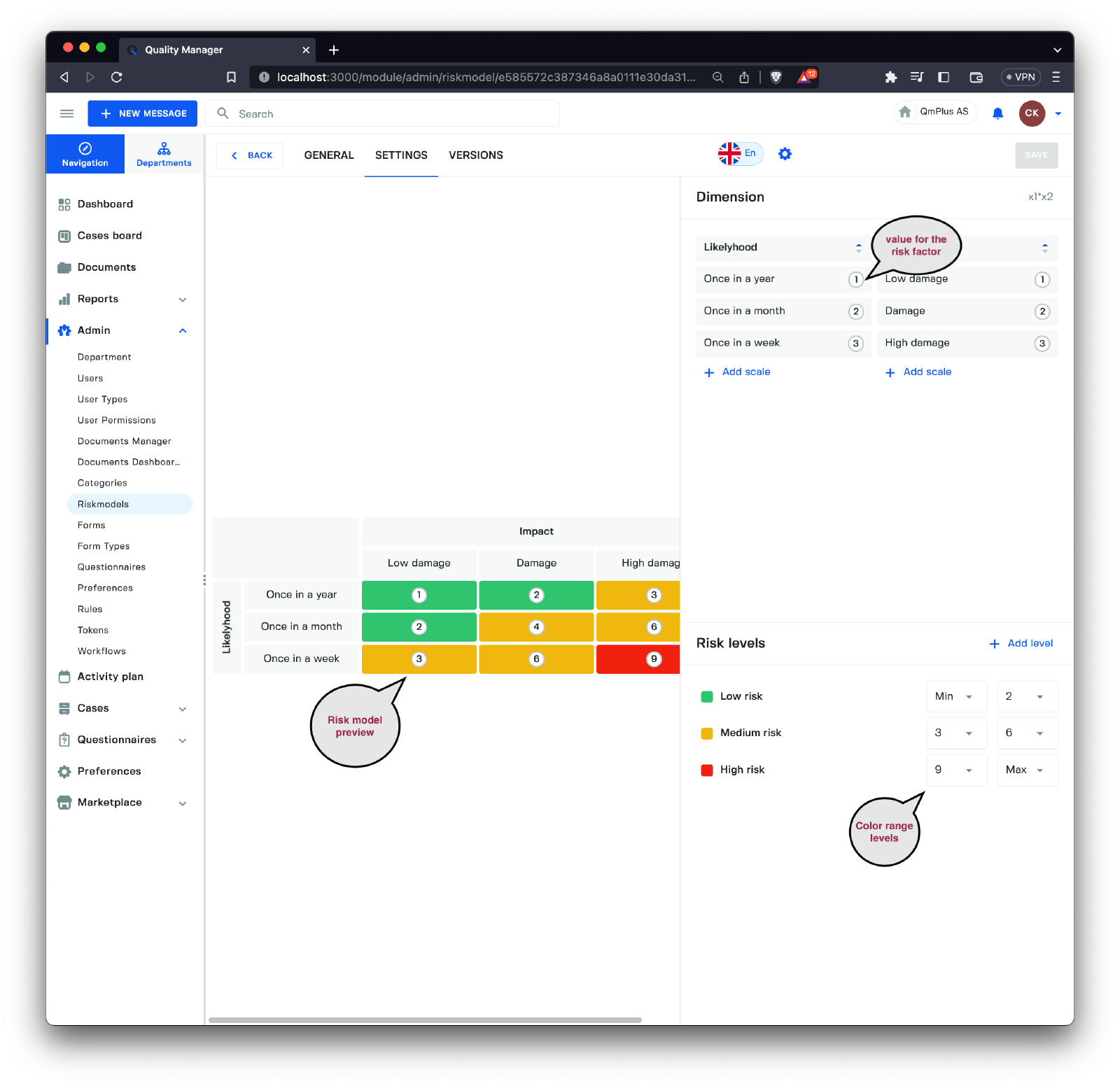
This model shows a complete basic risk model with associated dimensions, scales, and color ranges.
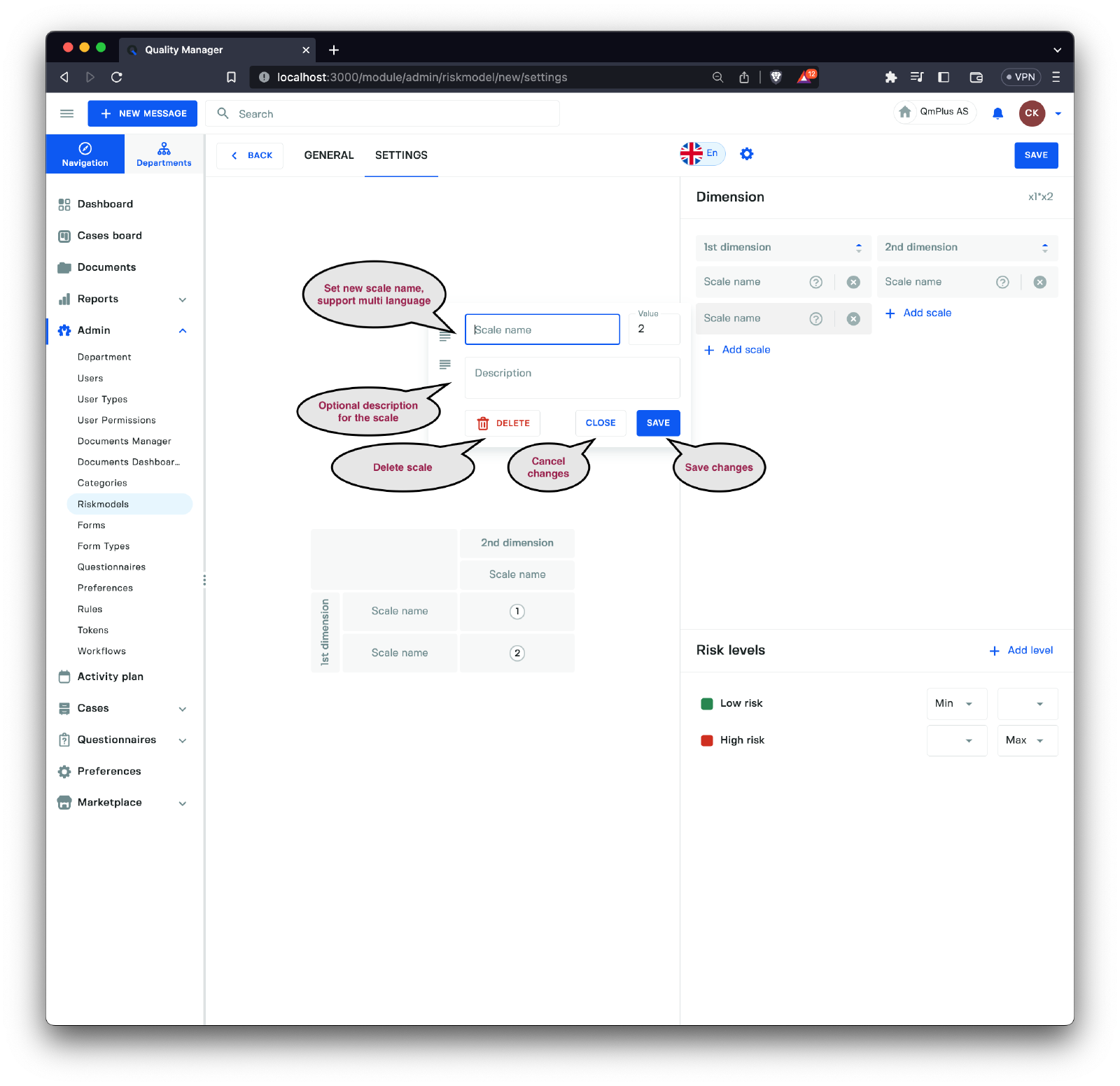
When adding or editing a new scale to a dimension, we can provide a name, description, and value for the scale.
Versioning of Risk Model
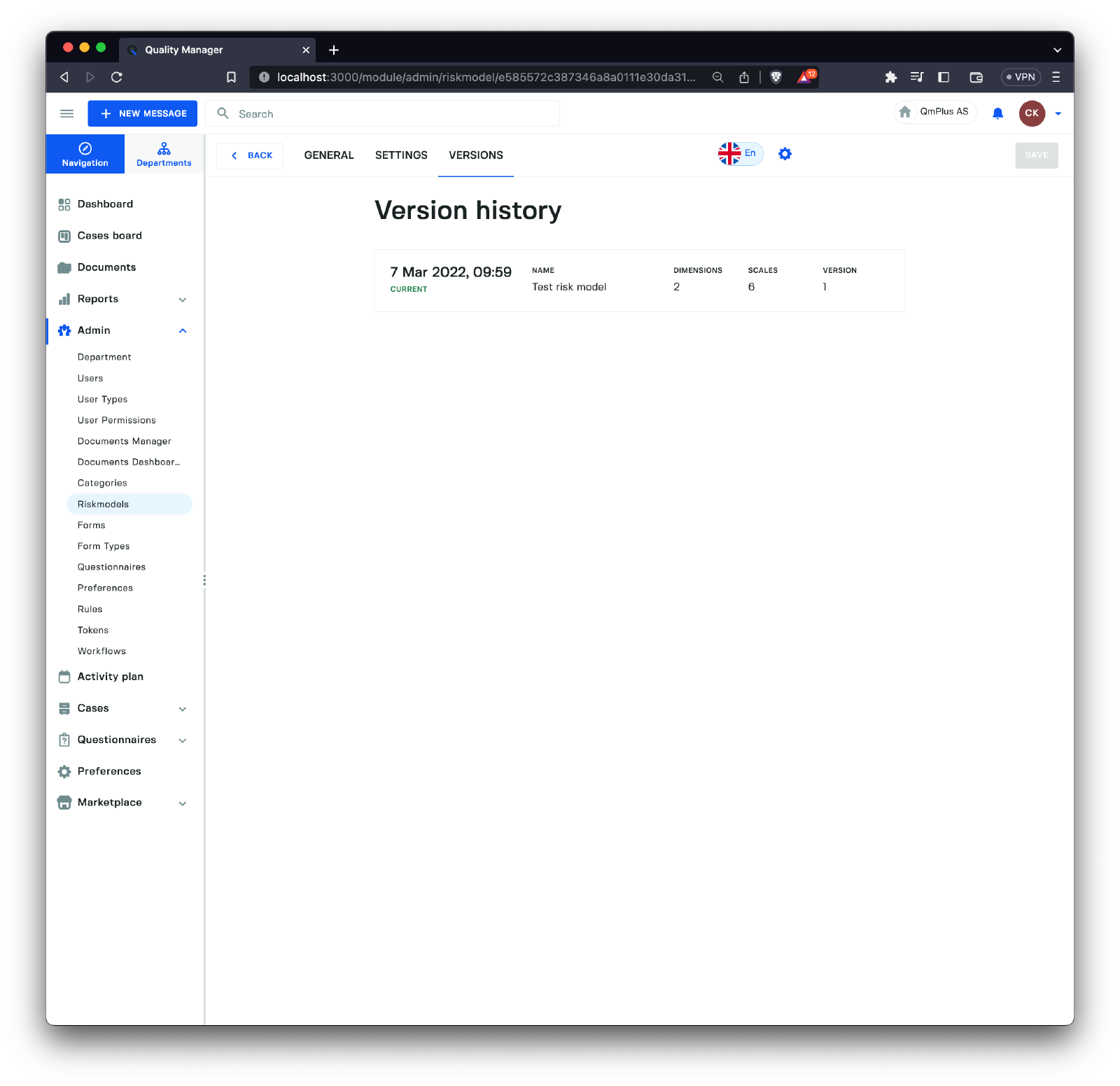
All risk models are versioned. This is done so that changes to a risk model do not impact existing forms.